COBBLESTONE SOFTWARE
Contract Insight — User Guide
Legal Hold
09. End Users: Contract Requests › Contract Request Details › Legal Hold
Note: Each procedure in this guide begins at the Contract Insight homepage, so any section can be followed on its own. Custom fields are configurable, so the exact field list on a contract category record may vary between environments.
1. Overview
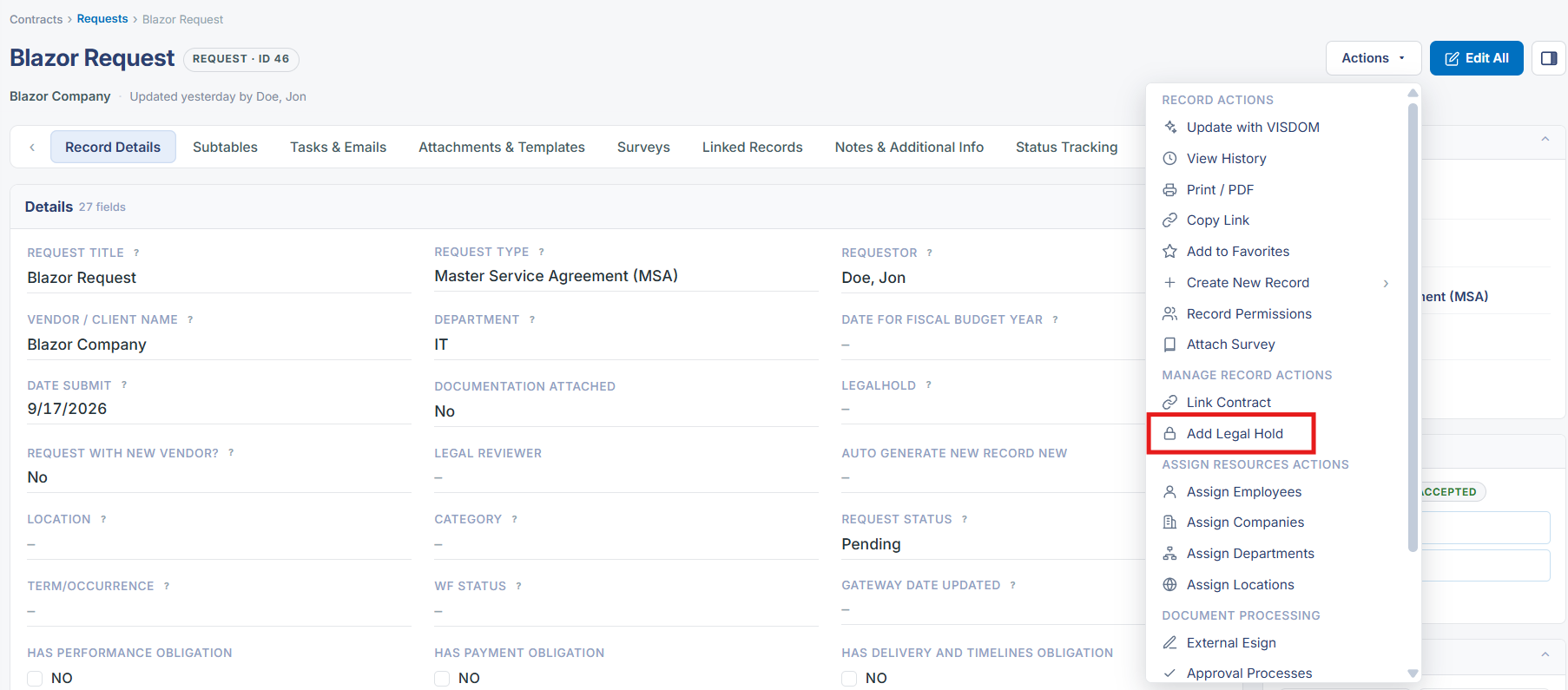
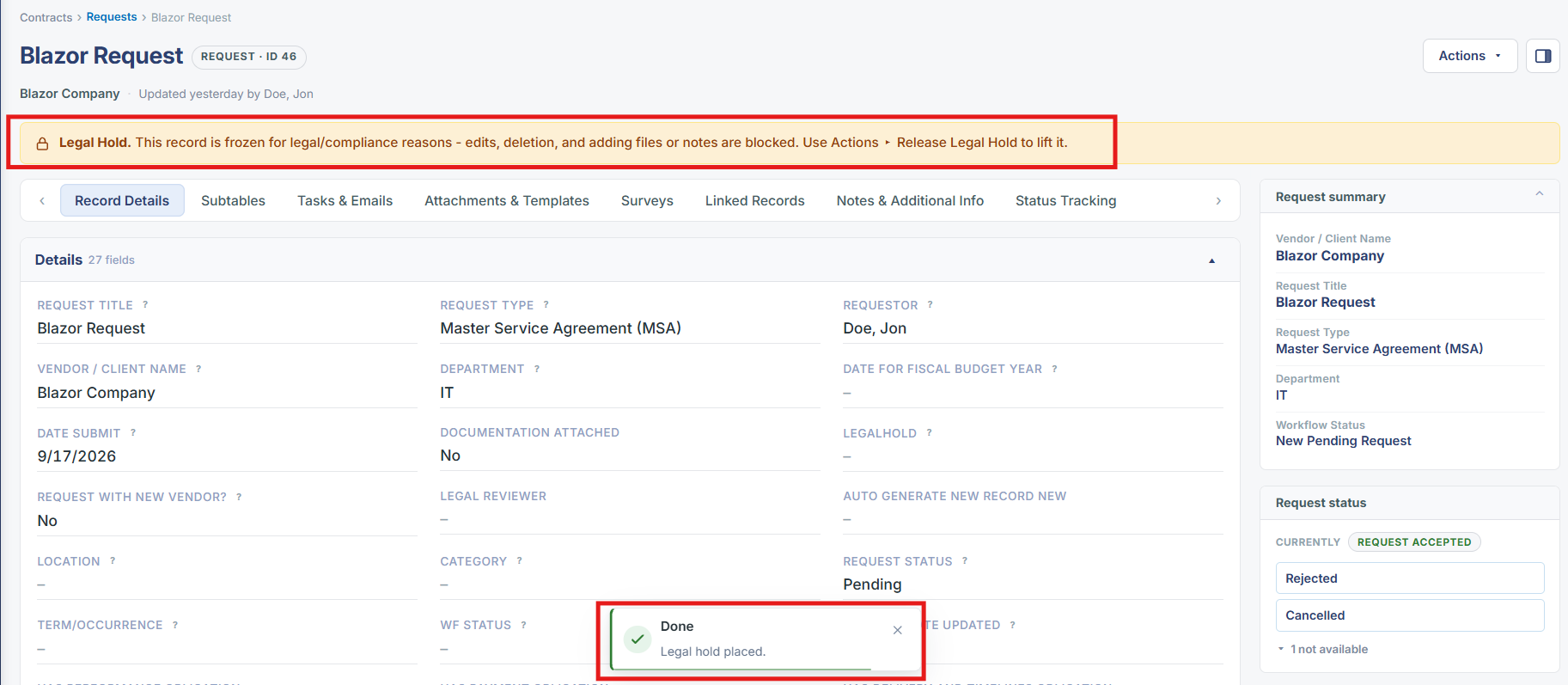
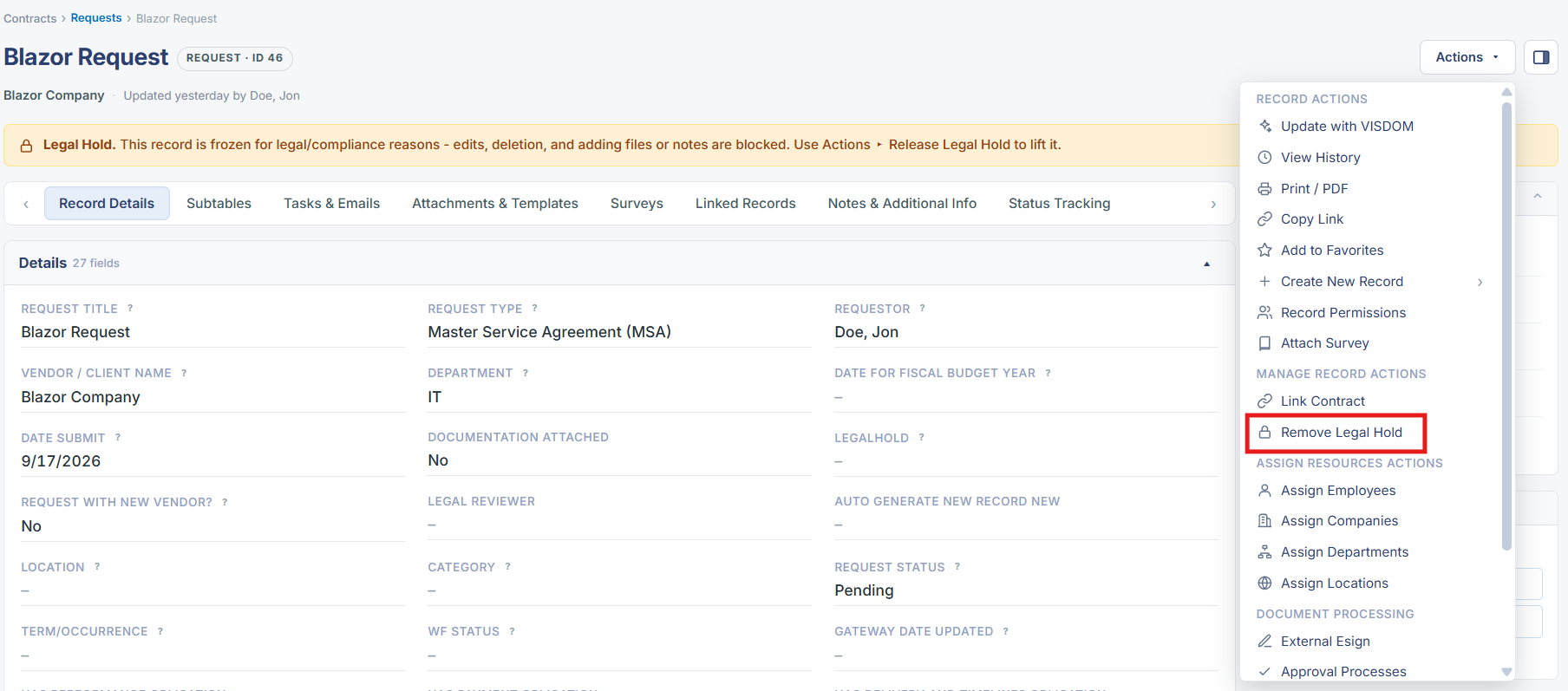
Placing a request on legal hold locks the record from editing and blocks attachment changes for compliance, exactly as confirmed live on the "Office Supplies - Month of April" Request record (ID 5): opening Actions > Manage Record Actions and selecting "Add Legal Hold" immediately displayed the banner "Legal Hold. This record is frozen for legal/compliance reasons — edits, deletion, and adding files or notes are blocked. Use Actions ▸ Release Legal Hold to lift it," and the record's Edit All button disappeared. Reopening Actions showed the item had toggled to "Remove Legal Hold"; selecting it lifted the freeze, restored Edit All, and removed the banner — the record was returned to its original, unheld state as part of this verification. This confirms the same mechanism holds for Request records as for Contracts, reached via the same unified Actions dropdown rather than a separate side-menu control.
2. Key Elements
- Add Legal Hold and Remove Legal Hold were both directly tested live on a Request record (ID 5), confirming the full toggle cycle works identically to Contracts.
- Applying the hold produced the same freeze banner ("edits, deletion, and adding files or notes are blocked") and hid the Edit All button.
- Removing the hold restored Edit All and cleared the banner, returning the record to its normal editable state.
- This is a directly-verified, not merely inferred, confirmation that Request records support the same legal-hold mechanism as Contracts in this environment.
- The action lives in the record's unified Actions dropdown under Manage Record Actions, rather than a request-specific side-menu control as the legacy wiki described.