COBBLESTONE SOFTWARE
Contract Insight — User Guide
Exporting Search Results
06. End Users: Searching & Reporting › Find/Search Contracts › Exporting Search Results
Note: Each procedure in this guide begins at the Contract Insight homepage, so any section can be followed on its own. Custom fields are configurable, so the exact field list on a contract category record may vary between environments.
1. Overview
The Contracts list carries its own Export button next to + Add at the top of the grid, which can export the current search/filter results to an Excel file, PDF, or CSV. However, when the Find/Search Contracts screen is exported, the export will include all fields shown on the screen (including the View link, which is disabled upon exporting it).
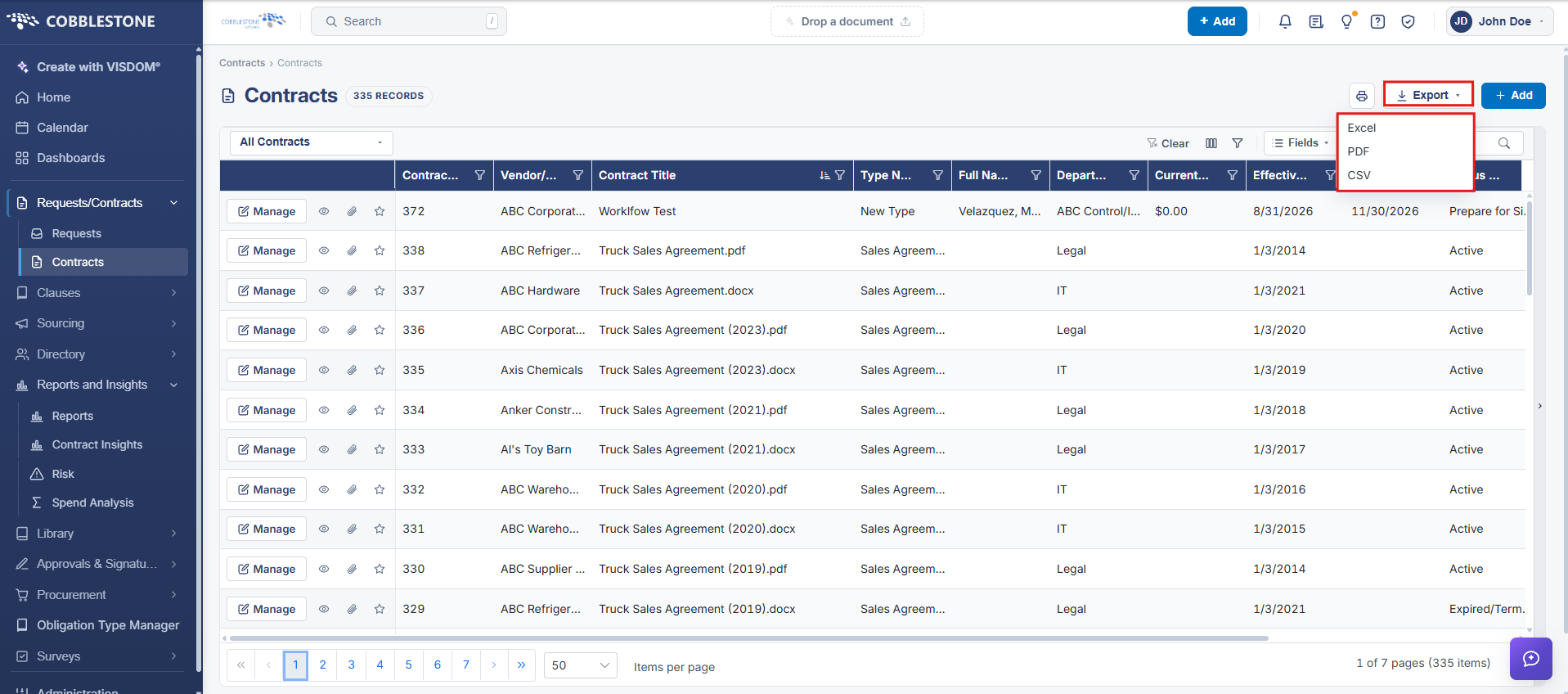
Once the destination for the exported file has been selected, Open or Save the exported document.
It is recommended to first export to Excel, where a user can modify/customization to the grid and then save to as PDF file.
Note: It is the user's responsibility to delete the View column in the exported file.