Exporting My Calendar
My Calendar: Exporting
Contract Insight provides standard vCal/iCal point-in-time cal
COBBLESTONE SOFTWARE
Contract Insight — User Guide
Exporting My Calendar
05. End Users: Home Page Options › My Calendar › Exporting My Calendar
Note: Each procedure in this guide begins at the Contract Insight homepage, so any section can be followed on its own. Custom fields are configurable, so the exact field list on a contract category record may vary between environments.
1. Overview
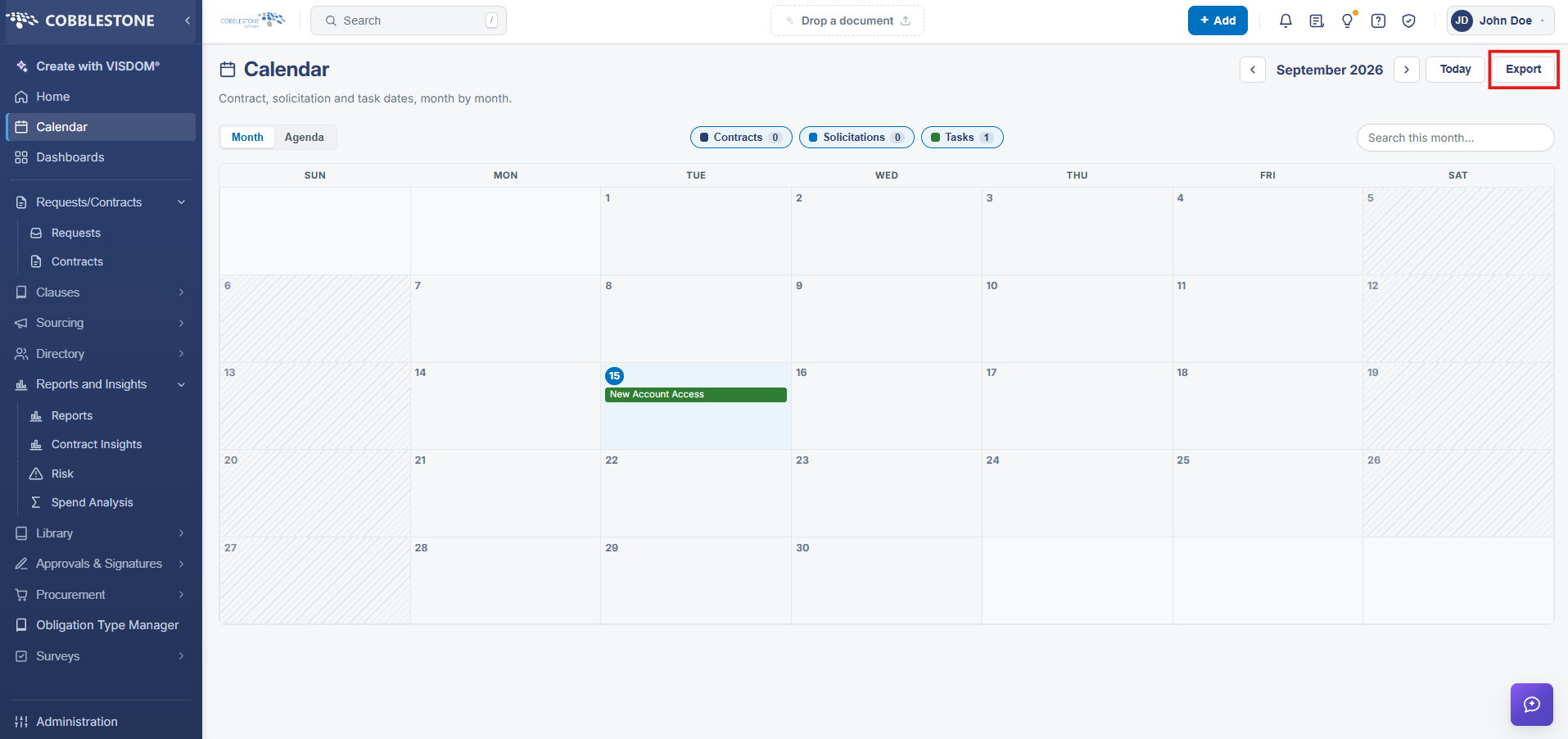
The Calendar screen (left navigation > Calendar) shows contract, solicitation, and task dates in a Month or Agenda view, with color-coded chips for each record type and live counts (for example, Contracts 1, Solicitations 0, Tasks 56 for August 2026 in this environment). An Export button in the top-right corner, next to the Today button and the month navigation arrows, generates a downloadable export of the currently displayed calendar data for use in an external calendar application, consistent with the legacy wiki's description of a vCal/iCal-style calendar export.
2. Key Elements
- Open the Calendar from the left navigation menu
- Switch between Month and Agenda view, and filter by the Contracts, Solicitations, and Tasks chips above the grid
- Use the search box to find items within the currently displayed month
- Click Export in the top-right corner to download the calendar's contents for use in an external calendar application