Contract Record Alerts
Contracts Overview: Contract Record Alerts
A Notices and alerts panel on the Record Details tab summarizes everything that needs attention on a contract in one place: separate counters for Record, Budget, Workflow, and Task alerts, plus the record's current stage and any open risk warnings. When a record's status is not mapped to a defined stage, that panel says so explicitly rather than showing a misleading value.
● Notices and alerts panel groups Record, Budget, Workflow, and Task alert counts
● Current record stage line reports the record's workflow stage, or that none is mapped
● Risk warnings and Risk register counters sit in the same panel
Alerts are based on:
1. The Contract End/Expiration Date Field
2. The Notify Days Field

An alert is sent out the number of days entered into the Notify Days field before the Contract End/Expiration Date. to the employee primarily assigned as well as any additionally assigned employees.
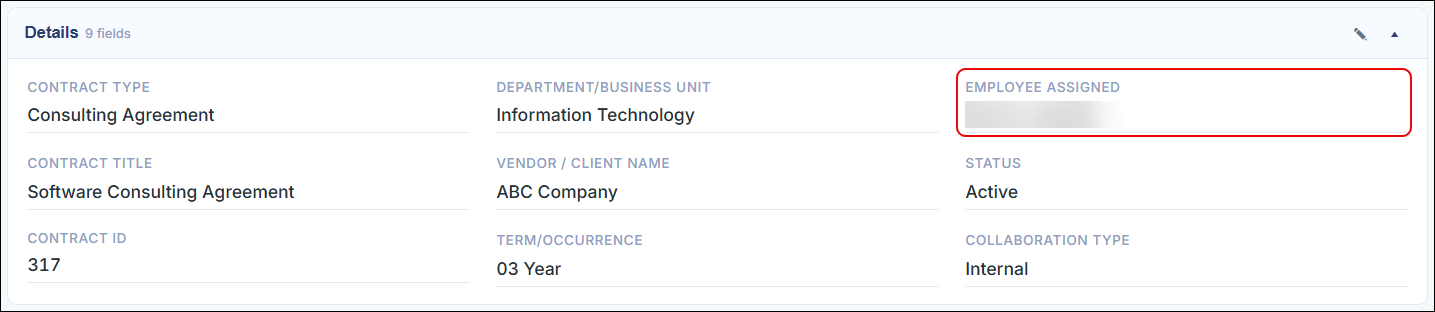
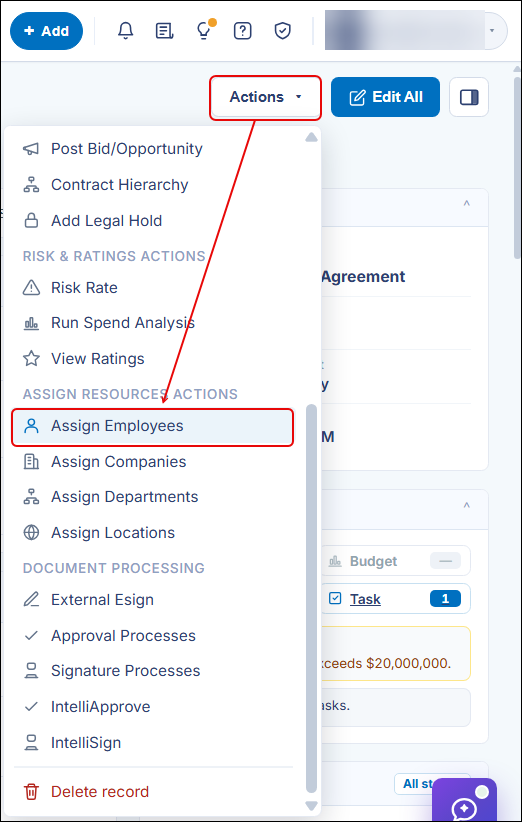
Example: If a user enters a Contract End/Expiration Date of ‘12/31/2015’ and a Notify Days value of thirty (30), the system will e-mail the Employee Assigned as well as any additionally assigned Employees for the Contract Record on 12/1/2015 (12/31/2015 minus 30 days).
The Expiration Warning Date is the auto-calculated date on which the Notify Days alert will be sent.
Note: If the Expiration Warning Date field is not populated, but there is a Notify Days value entered, the Notify Days alert will still be sent out.
Note: There will only be one notification sent out between the Notify Days and Expiration Warning Date alert fields, as they are the same alerts.
3. The Annual Review Date field will send out an alert on the date entered into the field.
Note: For e-mails to be routed successfully please have an Application Administrator Technician verify the following:
1. The employee's e-mail address is correct in the Employee Manager screen
2. The Task End Date and/or Notify Days (less than the task end date) is future dated
3. Your organization’s internal e-mail system is not blocking e-mails from the CobbleStone®systems.com domain (or blocking emails from the internal server).
4. The task e-mailer job is properly configured and scheduled to run at least daily (or better).