COBBLESTONE SOFTWARE
Contract Insight — User Guide
Calendar Views
05. End Users: Home Page Options › My Calendar › Calendar Views
Note: Each procedure in this guide begins at the Contract Insight homepage, so any section can be followed on its own. Custom fields are configurable, so the exact field list on a contract category record may vary between environments.
1. Overview
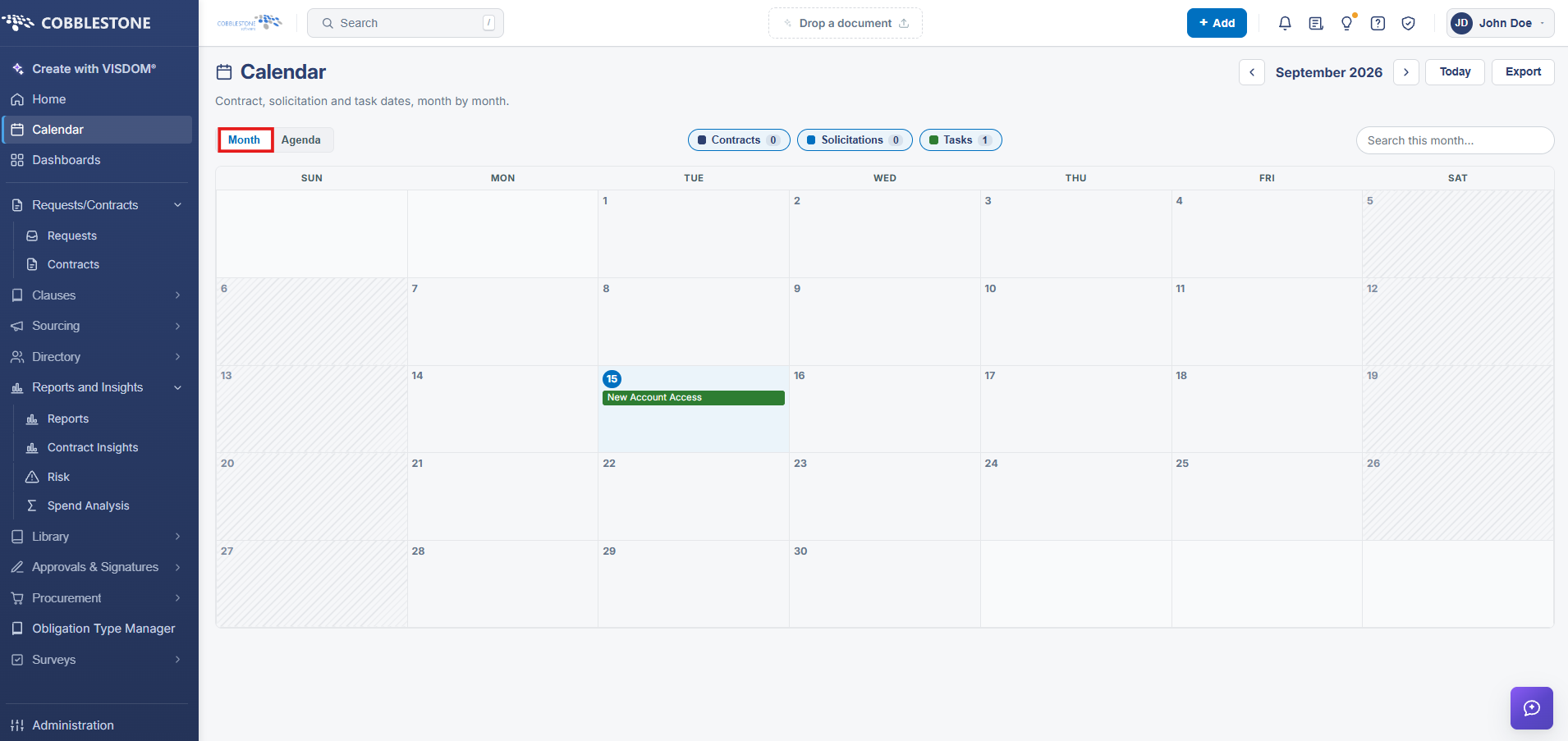
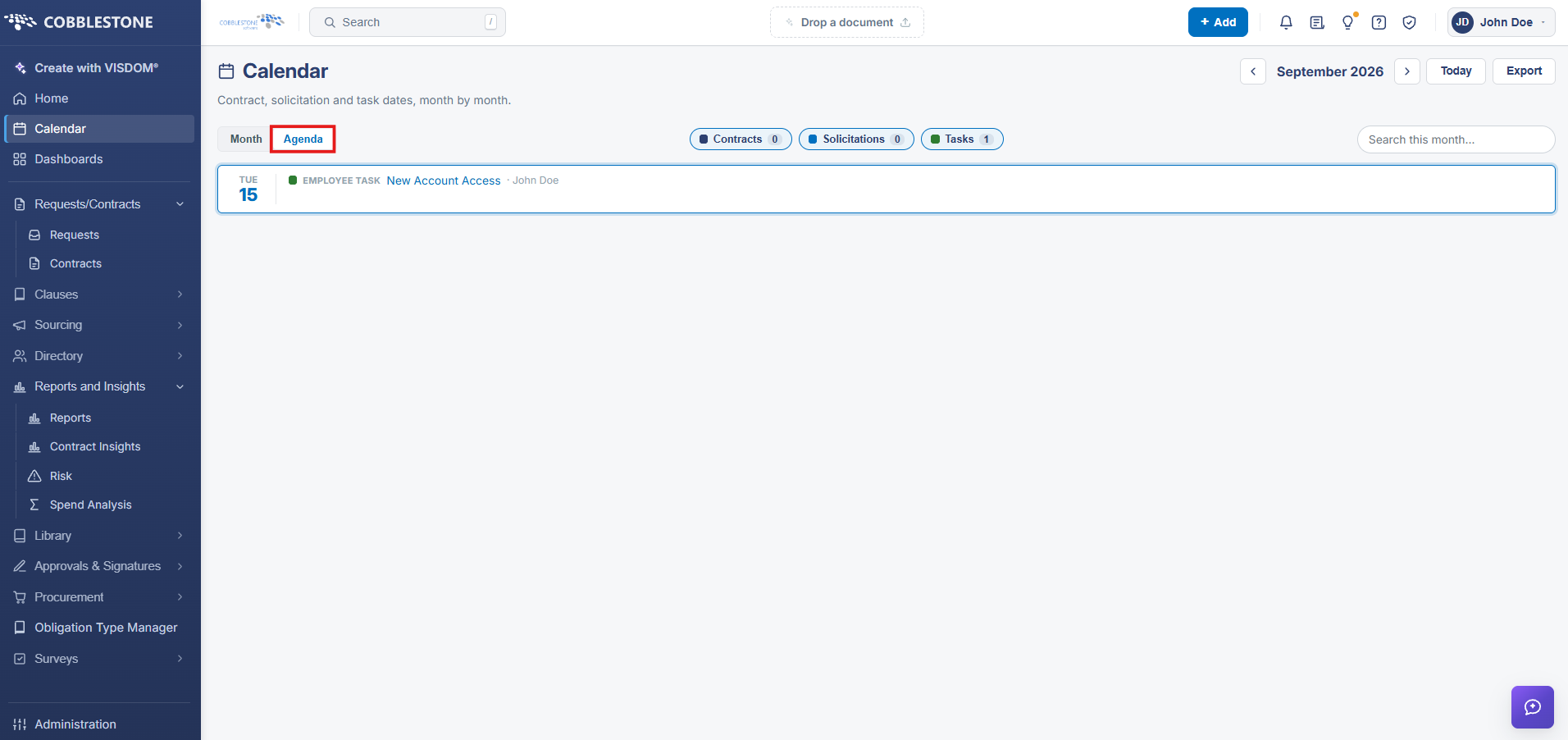
The Calendar's Month/Agenda toggle is what supplies its different ways of drilling into scheduling information. Month shows a traditional grid, one cell per day, listing each day's events with a "+N more" indicator when a day has more items than fit in its cell. Agenda instead lists every day that has at least one event as its own row-group (labeled with the weekday and date, e.g. "SAT 1"), with every event for that day shown underneath, labeled by its type (CONTRACT, CONTRACT TASK, VENDOR TASK) and title — useful for scanning a busy month's events in sequence rather than hunting across a grid.
2. Key Elements
- Month view: a traditional day-grid with color-coded event chips and a "+N more" indicator on busy days.
- Agenda view: a scrollable list grouped by date, with every event for that day shown underneath, labeled by type.
- Both views respect the same Contracts/Solicitations/Tasks filter chips and the current month's date range.
3. Quick Reference Summary
[TODO: content needed]