Assign Additional Locations to a Contract
Contracts: Additionally Assigned: Assign Additional Location(s)
Contracts that span more than one physical location can have each one recorded against the record. The Locations section of the Additional Parties, Locations, Departments panel lists assigned locations by name and ID (including placeholder "(no name)" entries in this environment) with an Add location button, and Actions → Assign Locations (Assign Resources Actions group) provides the same capability.
- Notes & Additional Info tab → Additional Parties, Locations, Departments → Locations section
- Add location attaches another location to the record
- Actions → Assign Locations (Assign Resources Actions group) offers the same function
- Locations are drawn from the centrally maintained Locations list under Master Reference Data
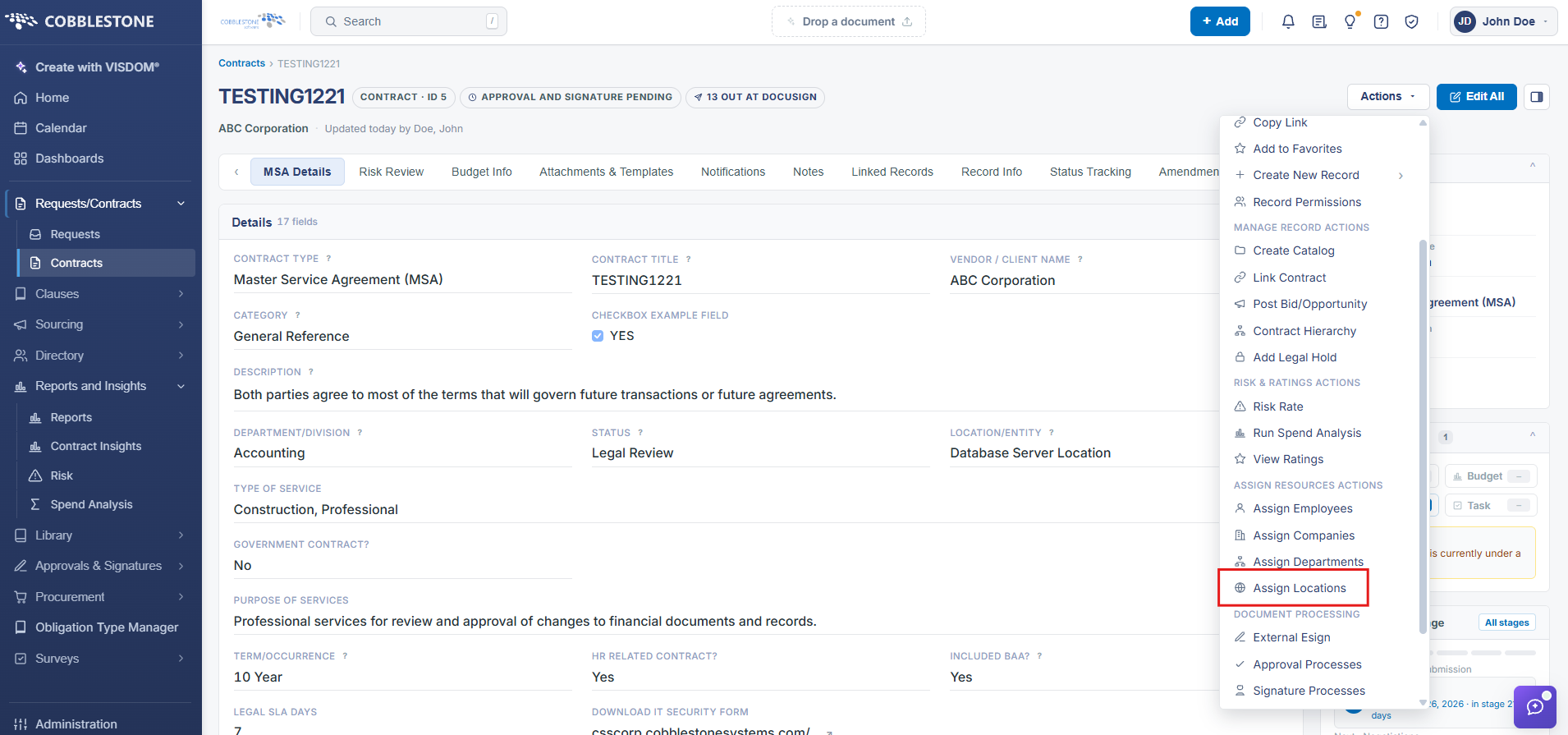
1. On the Contract Details screen, click the Actions dropdown > Assign Locations
2. The Assign Locations screen displays.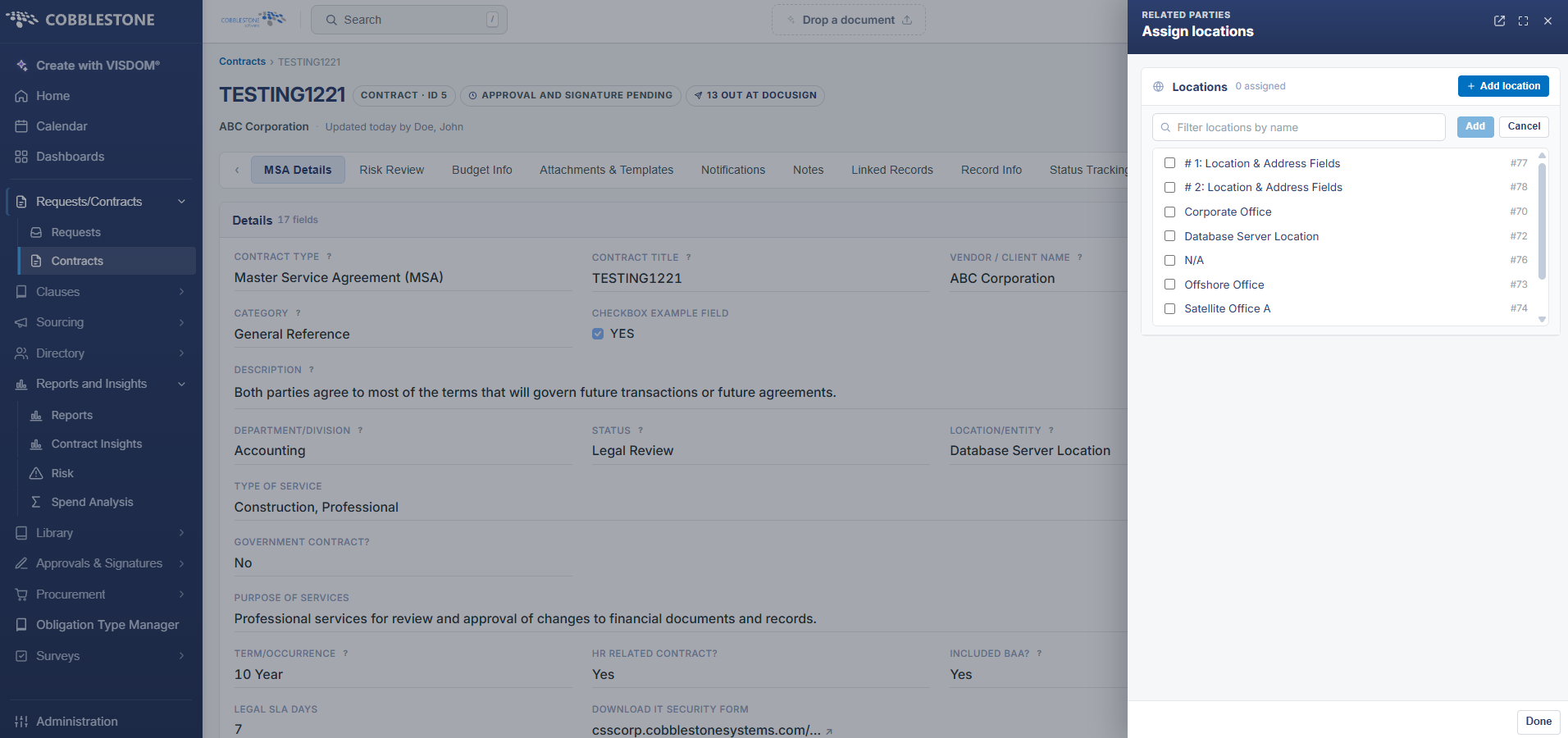
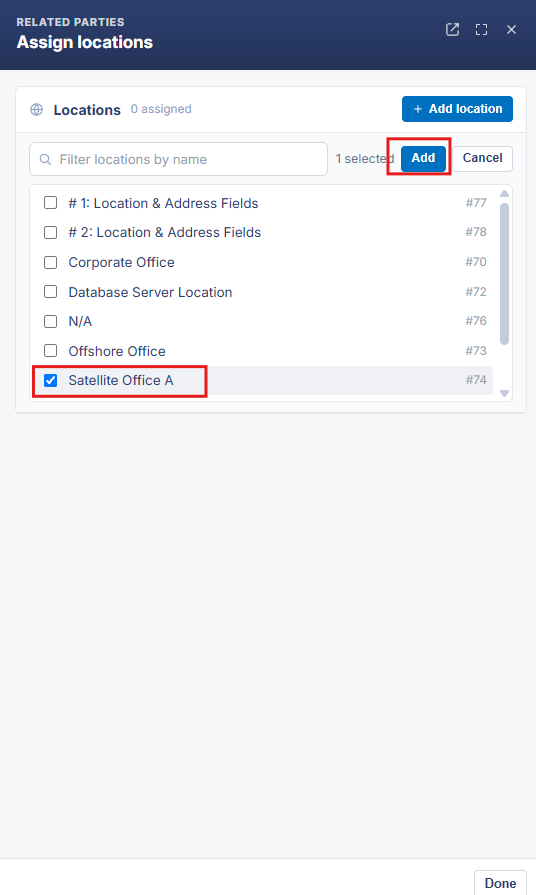
3. To assign a location to the contract, select/highlight the location name in the Available Lcoations box and click the Blue Add button to add the location name to the Assigned Locations box.
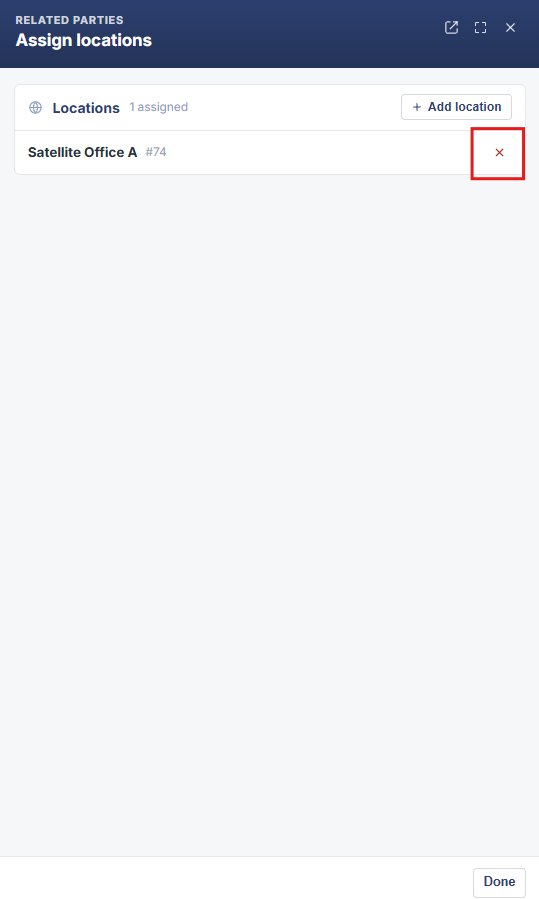
4. To remove a location from the contract, select/highlight the location name in the Assigned Locations box and click the Red X to remove the location name from the Assigned Locations box.