Assign Additional Departments to a Contract
Contracts: Additionally Assigned: Assign Additional Department(s)
A contract can be tied to more than one department. The Departments section of the Notes & Additional Info tab's Additional Parties, Locations, Departments panel lists every department currently assigned, each with its name and record ID, and an Add department button attaches another. The same action is available from Actions → Assign Departments (Assign Resources Actions group).
- Notes & Additional Info tab → Additional Parties, Locations, Departments → Departments section
- Add department attaches another department to the record
- Actions → Assign Departments (Assign Resources Actions group) offers the same function
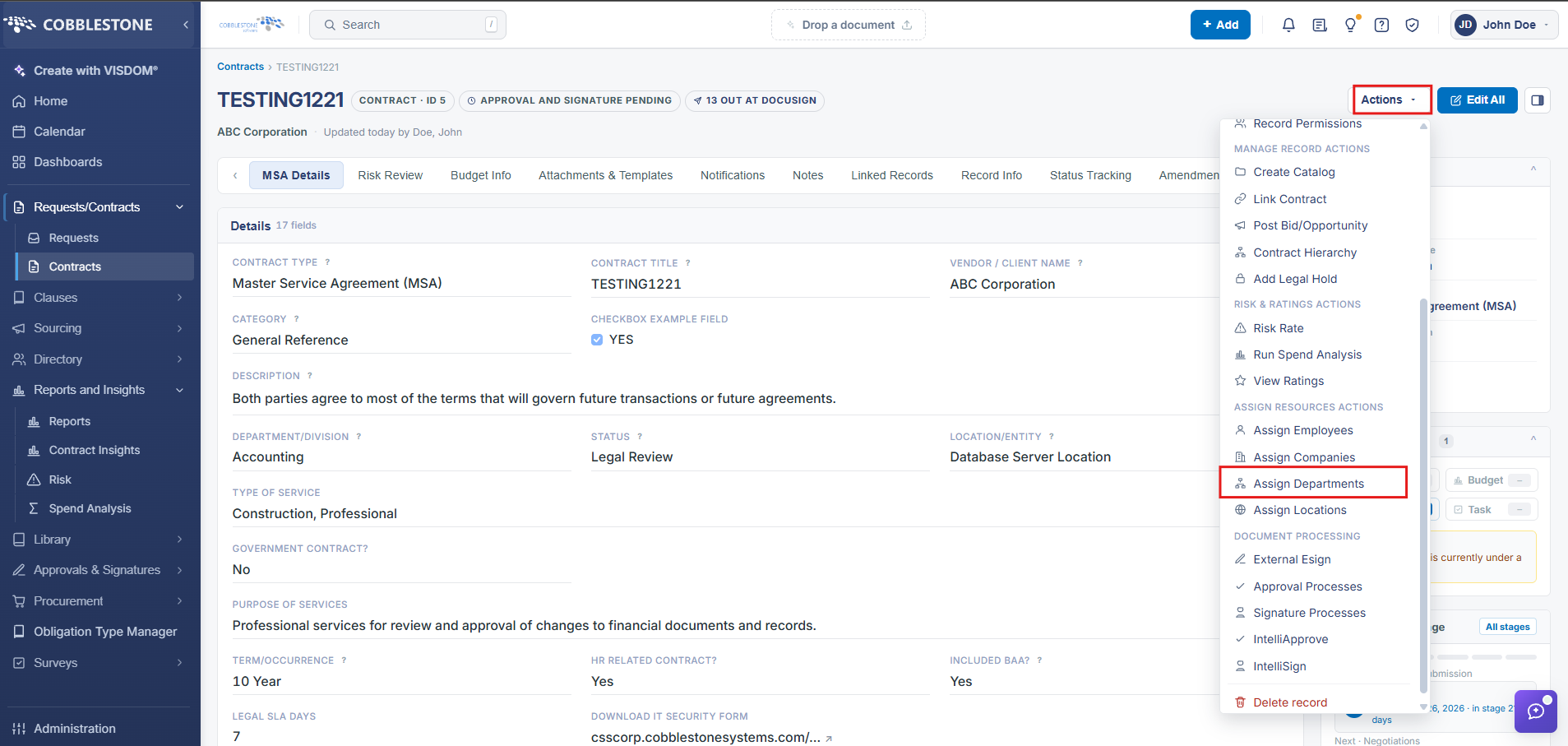
1. On the Contract Details screen, click the Actions dropdown > Assign Departments
2. The Assign Departments screen displays.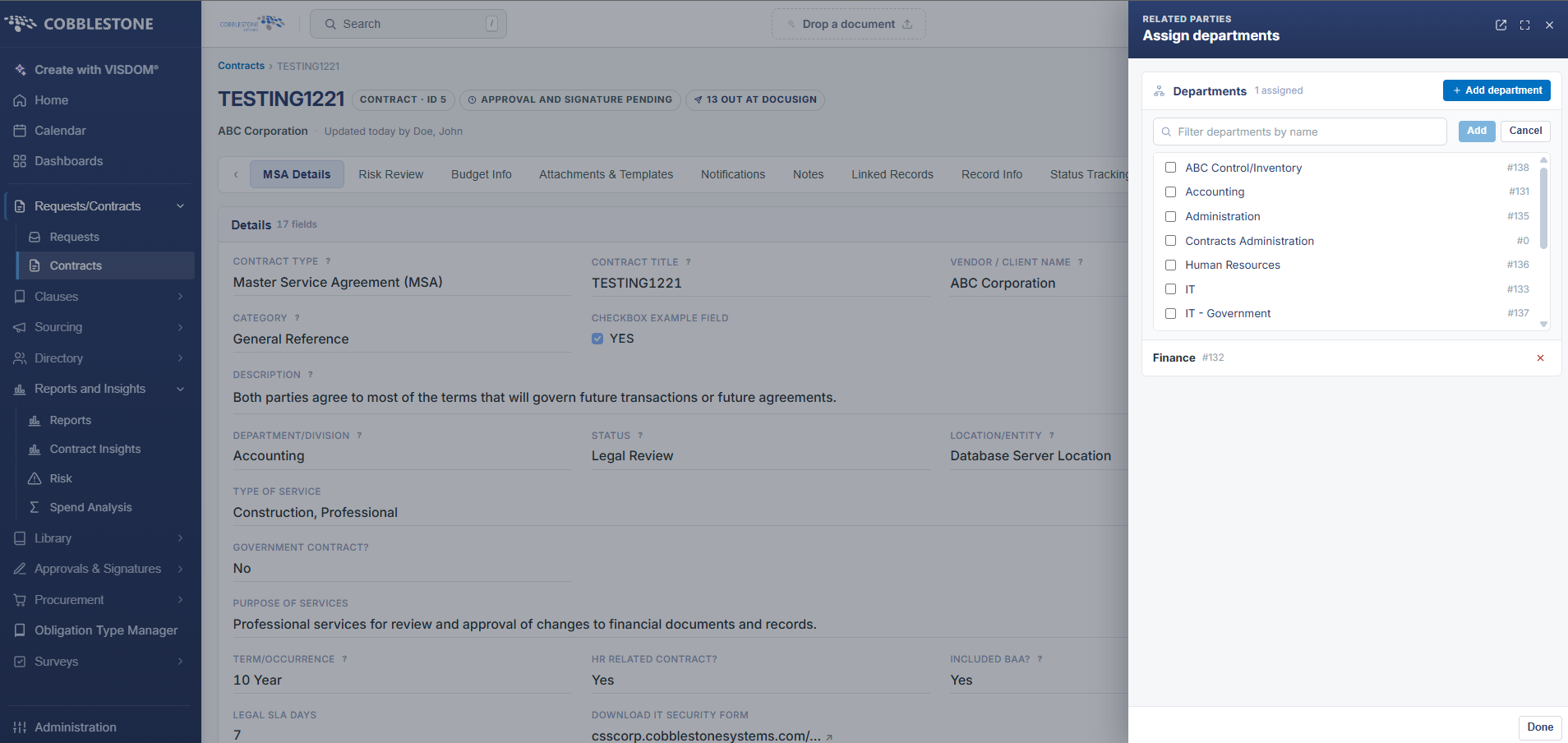
3. To assign a department to the contract, select/highlight the department name in the Available Departments box and click the Blue Add button to add the department name to the Assigned Departments box.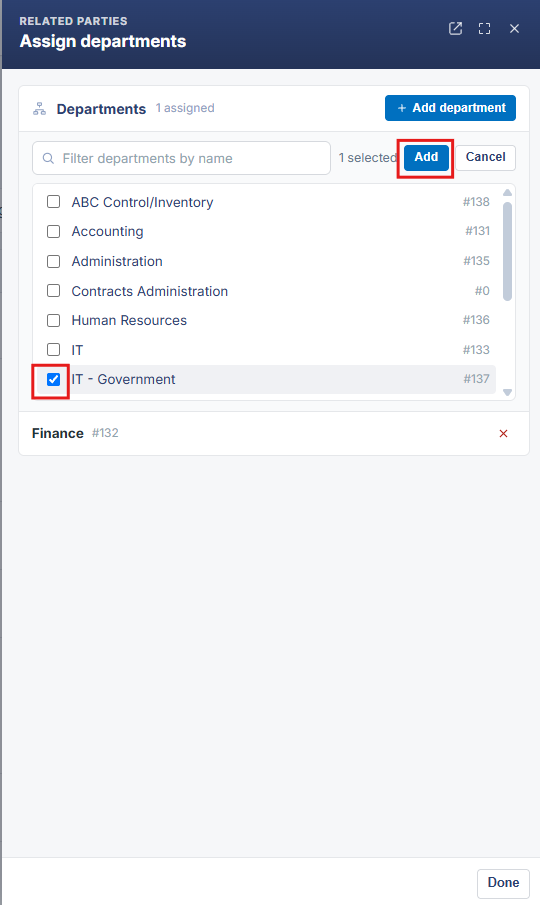
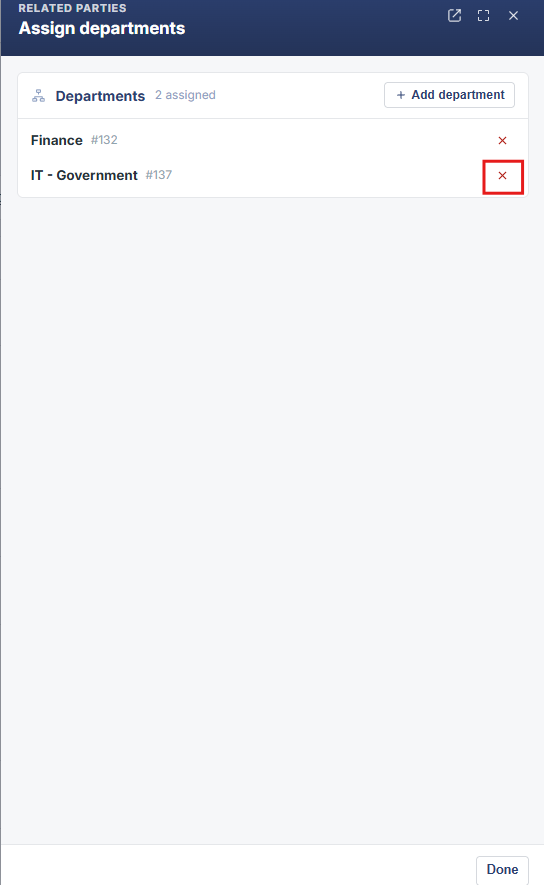
4. To remove a department from the contract, select/highlight the department name in the Assigned Departments box and click the Red X to remove the department name from the Assigned Departments box.