COBBLESTONE SOFTWARE
Contract Insight — User Guide
12. Assign/Email Respondents to Solicitation Records
Module: Solicitations › Solicitations › 12. Assign/Email Respondents to Solicitation Records
Note: Each procedure in this guide begins at the Contract Insight homepage, so any section can be followed on its own. Custom fields are configurable, so the exact field list on a contract category record may vary between environments.
1. Overview
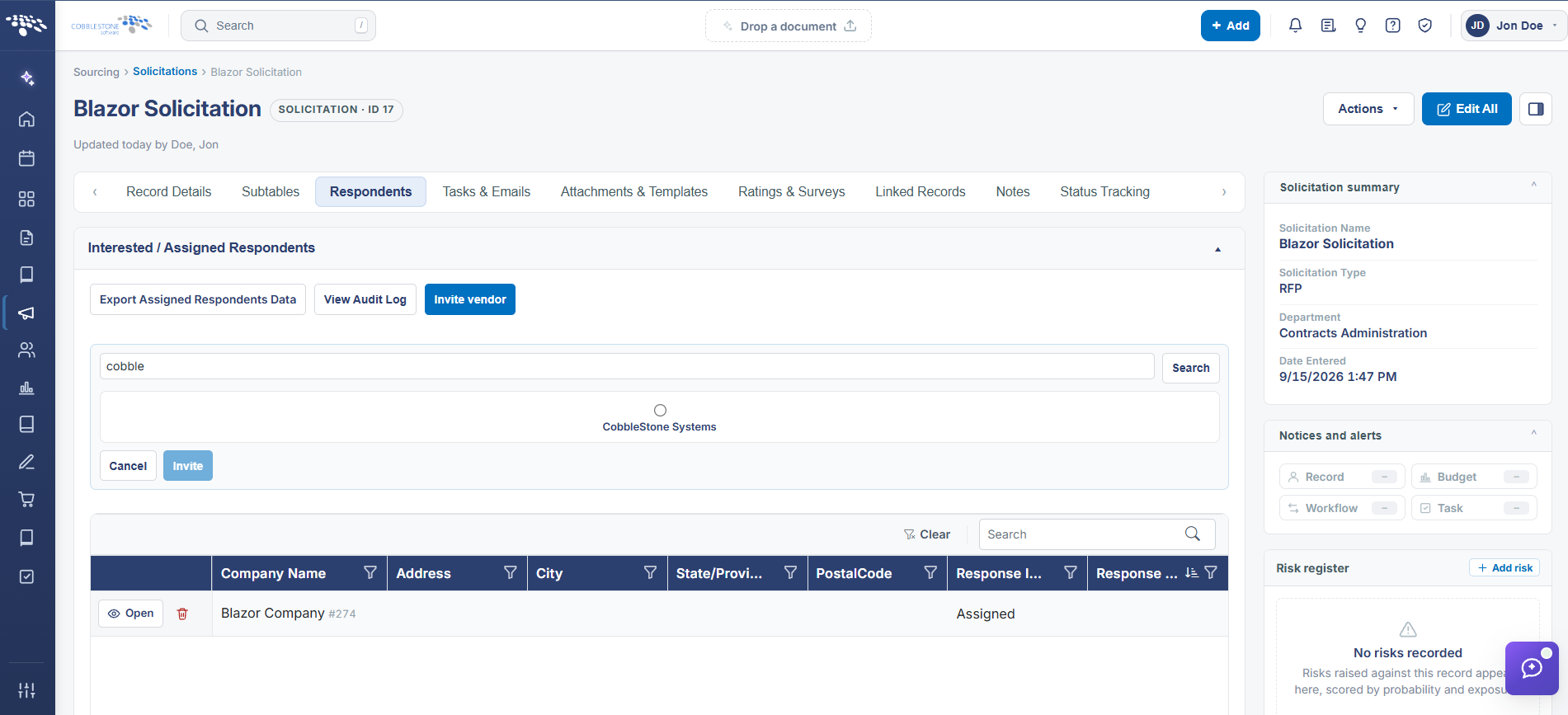
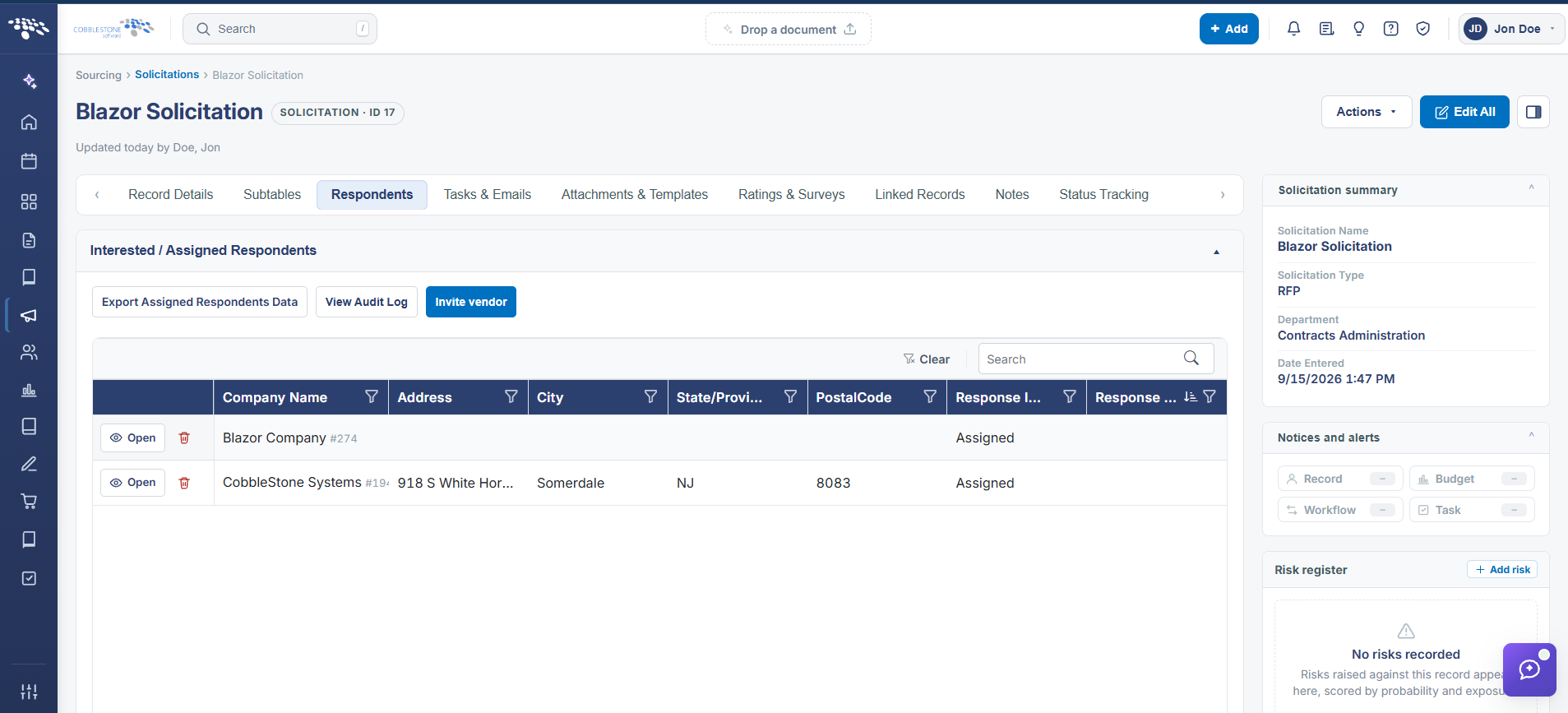
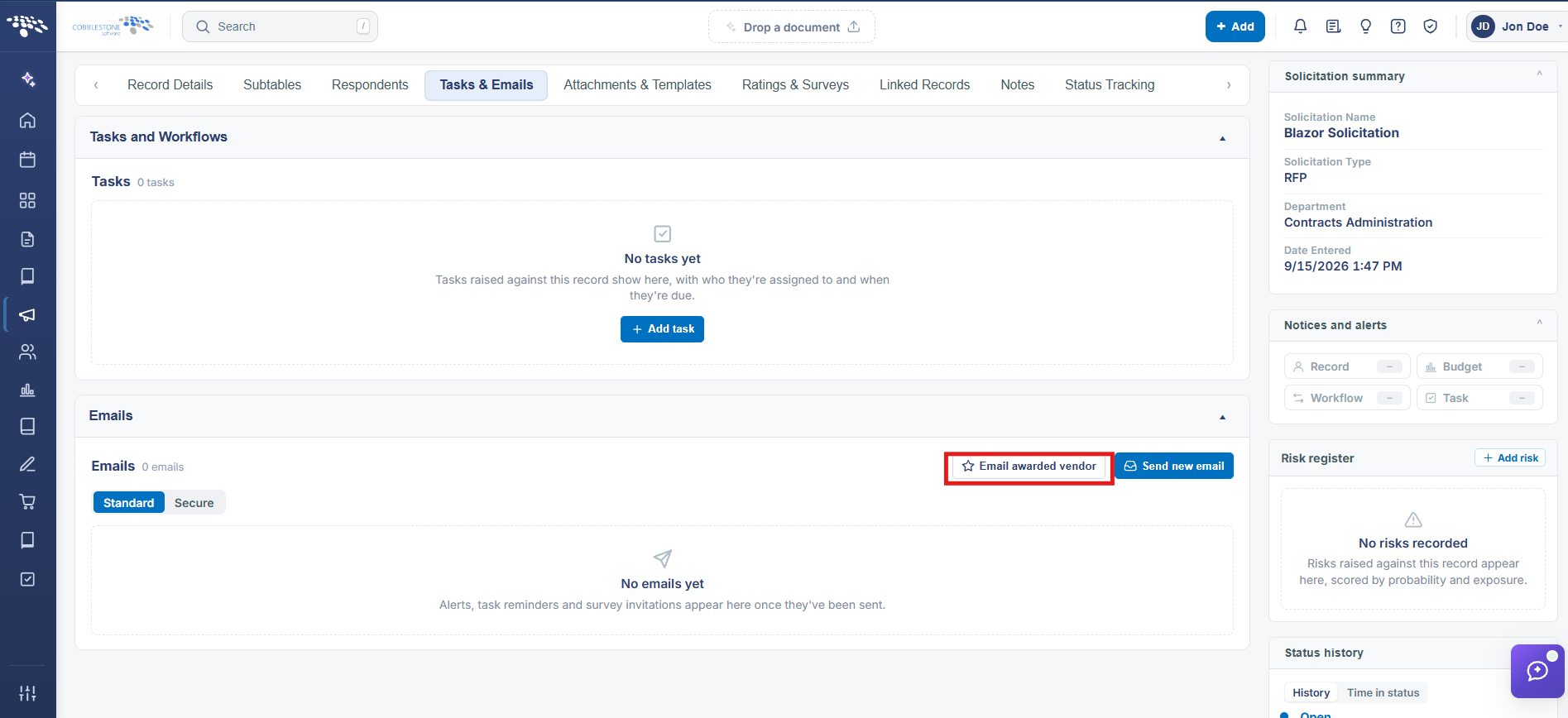
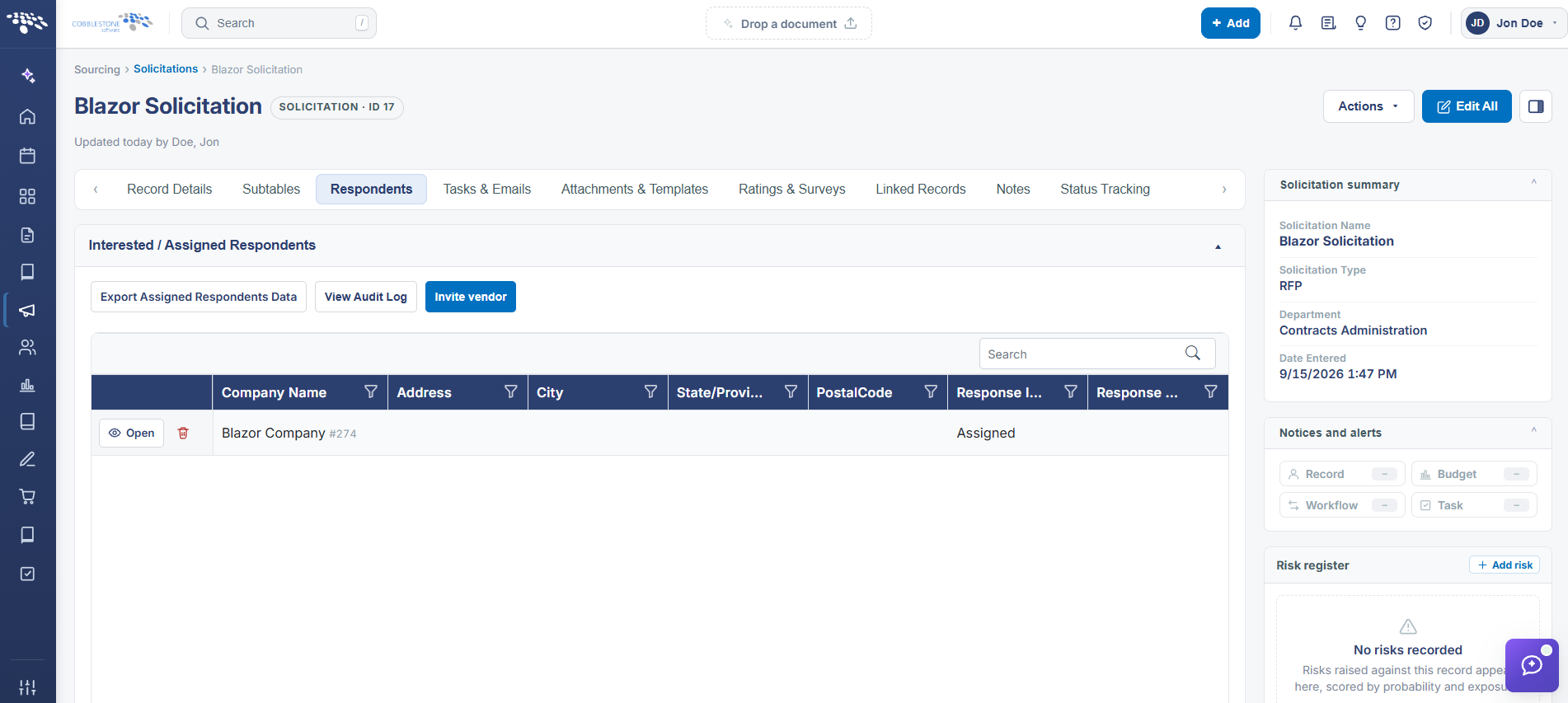
A solicitation's Respondents tab lists every vendor invited to respond ("Vendors invited to respond to this solicitation"), each with a Response status (e.g. Assigned) and Open/Delete actions, alongside an Invite vendor button to add more. The Tasks & Emails tab's Emails section is the live vendor-communication center described in the legacy topic: 55 emails were on the example record, with Email awarded vendor and Send new email buttons, Standard/Secure email tabs, and a preview pane per email showing From, To, Attachments, and Resend/Follow up actions.
2. Key Elements
- Respondents tab > Invite vendor adds a vendor to the solicitation; each respondent row shows a Response status (e.g. Assigned) with Open and Delete actions
- Tasks & Emails tab > Emails section lists every email sent on the record (55 on the example reviewed) with From/To/Attachments and Resend/Follow up
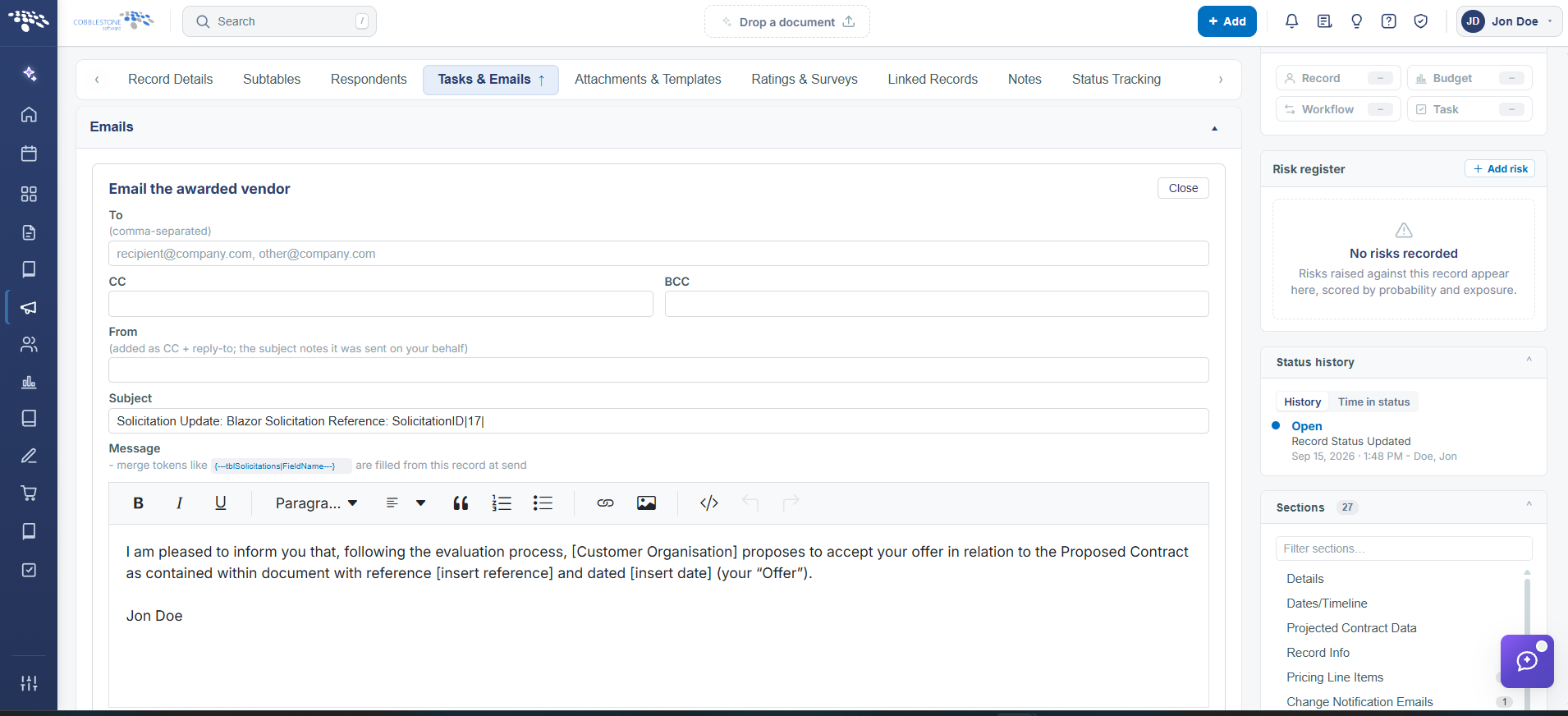
- Email awarded vendor and Send new email buttons let staff message respondents directly from the record
- Standard vs. Secure (encrypted) email tabs separate regular correspondence from secure/e-signature-related messages