The Core System provides Contract Insight’s core components and functionality for full lifecycle management of your organization’s contracts and committals.
CORE SYSTEM
ENHANCEMENTS
ENHANCEMENT: Expanded VISDOM Feature Integration Enhancing Playbook and Clause Management in Collaborative Online Editor
Reference #: 260501.1203.26225
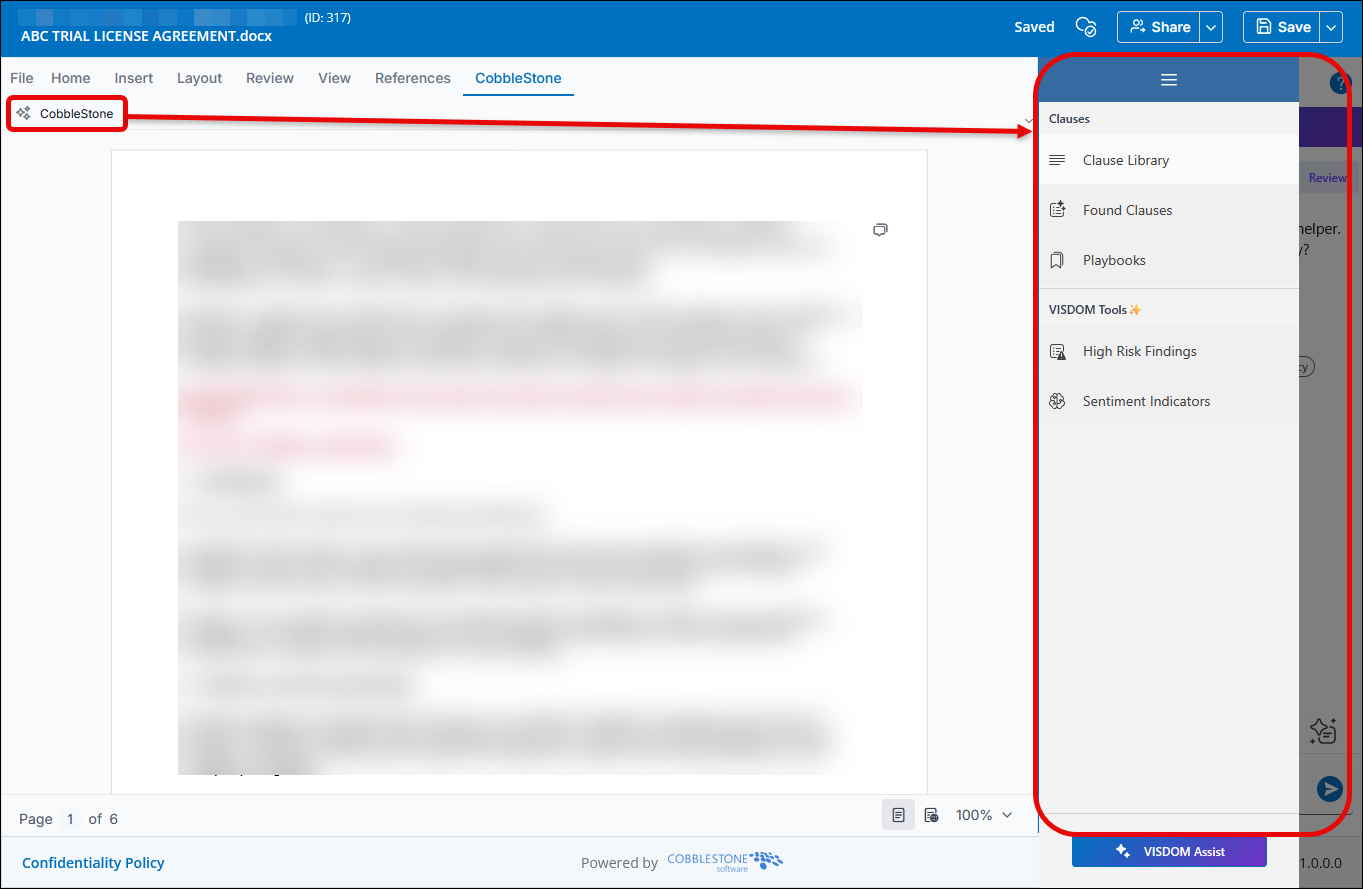
Enhancements have been made to the Collaborative Online Editor (COE) to further integrate VISDOM functionality previously available only through the Word add-in experience.
This release introduces Playbook functionality directly within the COE, including the ability to add clauses to Playbooks, view Playbook matches for found clauses, and manage Playbook selections within the VISDOM Review experience. Initial support for Swap Clauses functionality has also been included as part of this enhancement effort.
Viewing Clause Library/Playbook Matches displays the match percentage, enables users to redline against the document text, and provides the option to replace content directly within the document: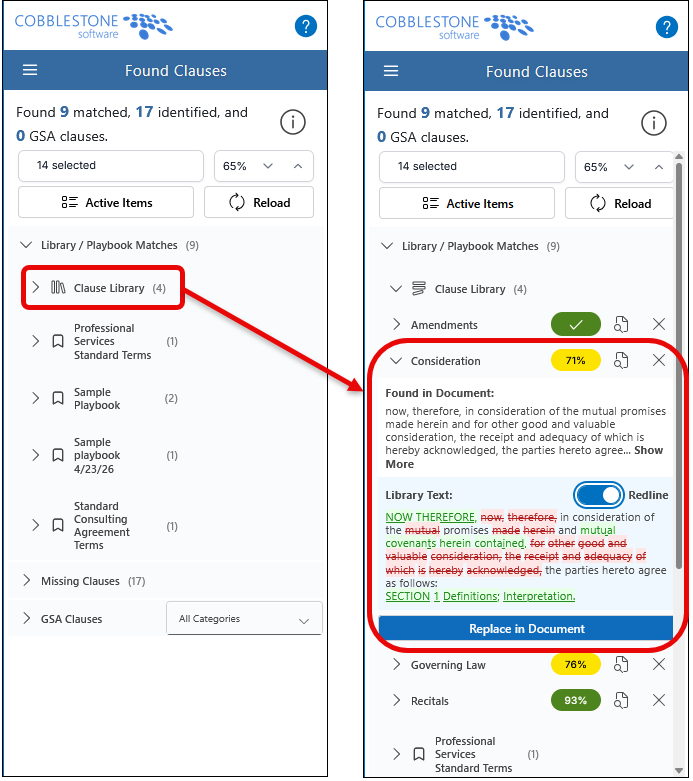
Clicking Replace in Document replaces the clause within the document and automatically adds comments identifying the deleted text and the inserted text: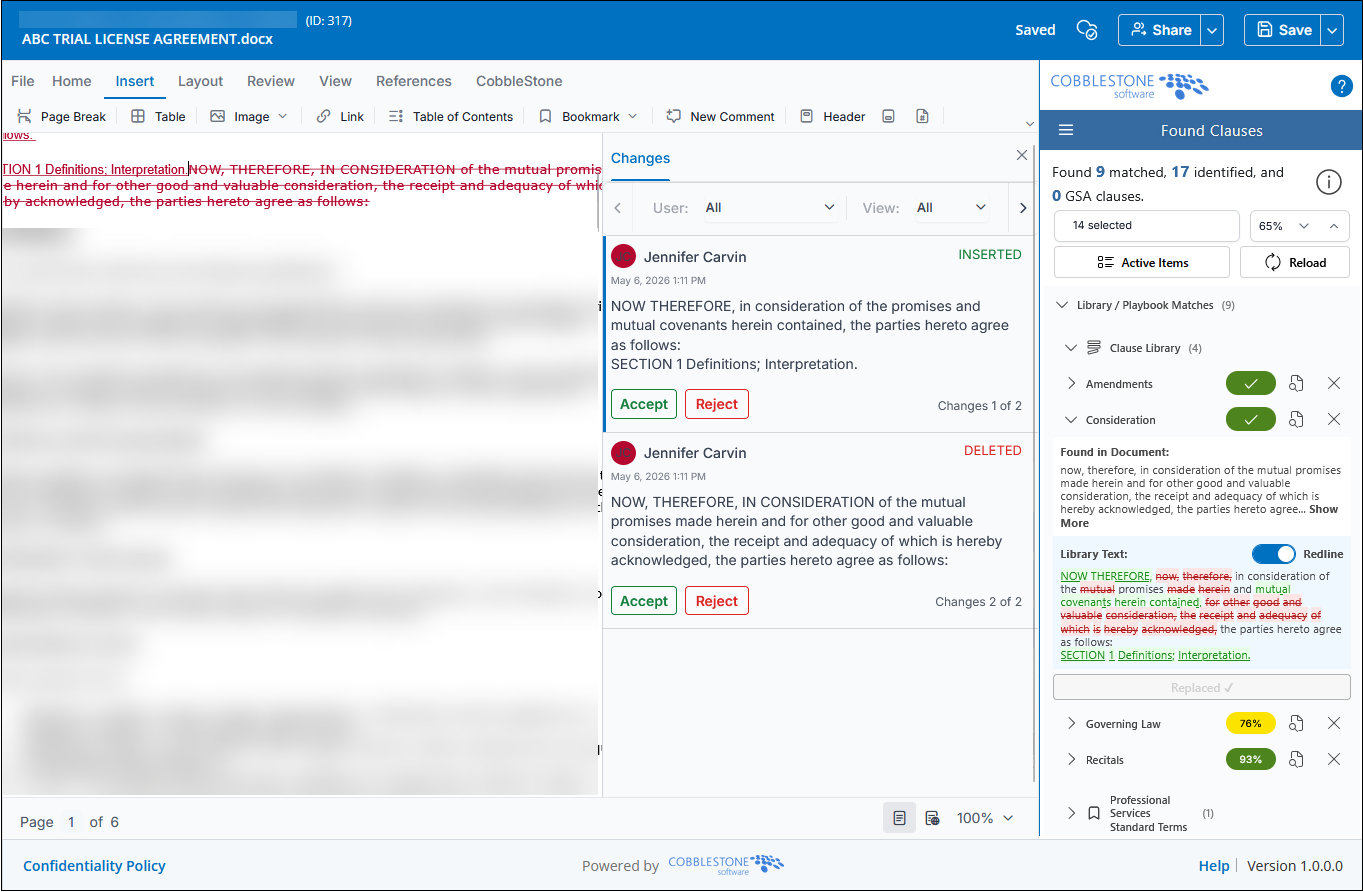
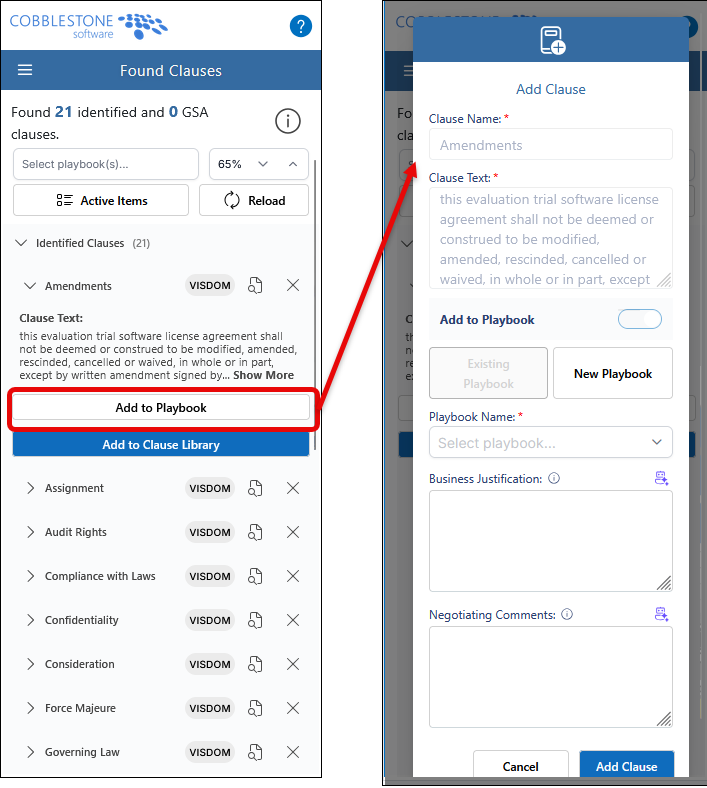
Clicking Add to Playbook allows users to add the clause to an existing Playbook or create a new Playbook, while also entering a Business Justification and Negotiating Comments for the clause:
From the Playbooks menu, users can view all Playbooks or only their own Playbooks and perform actions such as Edit Playbook (pencil icon), Compare Against Document Clauses (book icon), and Run a Playbook Review (replay icon):
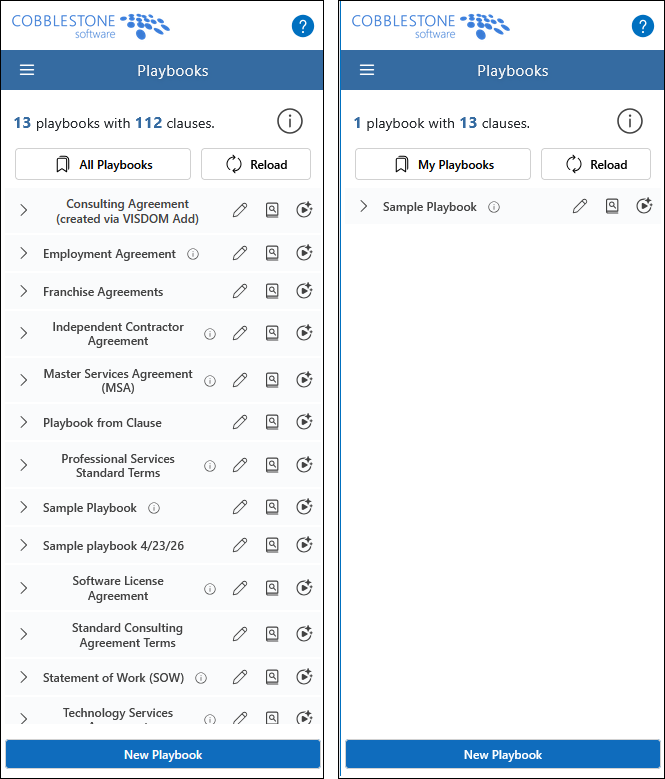
Users can also edit existing Playbooks and create new Playbooks:
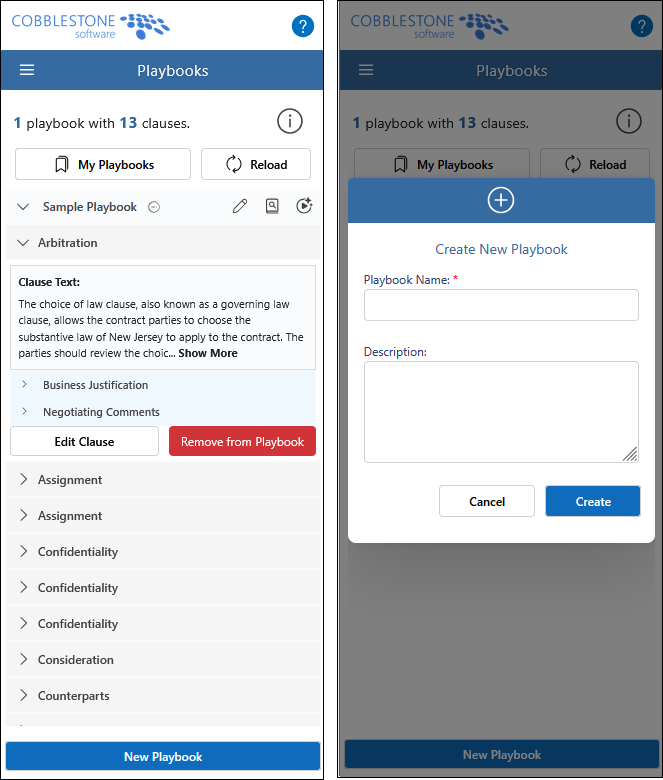
These updates provide a more streamlined and centralized document review experience by bringing additional VISDOM tools directly into the browser-based collaboration environment.
CORE SYSTEM
RESOLUTIONS
RESOLUTION: Filtered Counterparty Dropdown Not Persisting Selection During VISDOM Drag-and-Drop Contract Creation
Reference #: 260501.1275.29374
Users experienced an issue where the Counterparty (Vendor/Client Name) field was not recognized as populated when creating a record via VISDOM drag-and-drop if the field was configured as a filtered dropdown. This prevented users from saving without reselecting the value and, in some cases, resulted in no company being associated on the details page. Additionally, deleted companies were appearing in the dropdown list.
This issue was caused by how filtered dropdown selections were being captured on the add screen. The VISDOM interface has been updated to properly recognize and retain Counterparty values selected from filtered dropdowns during drag-and-drop processing, ensuring accurate field population and preventing invalid dropdown entries from appearing.
RESOLUTION: Configuration Values to Appear Missing when Selected
Reference #: 260501.365.30699
Users experienced an issue where selected values within Application Configuration, Department/Business Unit, and Workflow Manager grids appeared to disappear after being chosen. This was caused by a page styling conflict that made the selected text appear hidden. The issue has been resolved, and selected values now display correctly when configuring settings.
RESOLUTION: Improper URL Formatting Causing Legacy Editor to Close and Redirect to Dashboard
Reference #: 260501.1273.33013
Users experienced an issue where attempting to open the Legacy Editor would briefly load and then return them to the main dashboard. This occurred when certain file names contained spaces or special characters, which disrupted how the system processed the request and triggered a security redirect.
This has been resolved by improving how file information is handled behind the scenes, ensuring the Legacy Editor opens as expected regardless of file naming.
RESOLUTION: Permission Controls Added to Restrict Tracked Changes Management in Collaborative Online Editor
Reference #: 260501.1203.34226
Permission controls have been introduced to better manage how tracked changes are handled within the Collaborative Online Editor.
Employees assigned the “Collaborative Online Editor: Prevent Tracked Changes Management” permission can no longer grant collaborators the ability to accept or reject tracked changes, nor can they be given that ability when invited to a collaboration.
Employees without this restriction can continue to assign the “Manage Tracked Changes” option to Employee, Company Contact, and Email collaborators. However, this option cannot be assigned to any Employee who has the restriction in place. If selected, the system will automatically remove the option upon sending the invitation and notify the sender that the selected user does not have permission to manage tracked changes.
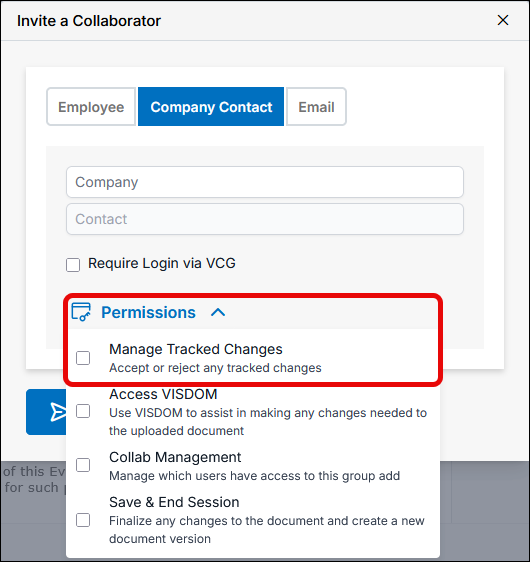
These updates help ensure that only authorized users can control the approval of tracked changes, supporting more structured and secure document review workflows.
RESOLUTION: Missing Import Validation Causing Unintended Removal of System Administrator Access
Reference #: 260501.337.34580
An issue was identified where Employee records updated through the Data Import Manager could unintentionally lose their System Administrator access. This occurred when certain fields were not included in the import file, causing the system to incorrectly reset this setting during the update process.
This has been resolved by improving the validation logic during imports to ensure System Administrator access is only changed when explicitly intended. Existing permissions will now remain unchanged unless specifically updated.