The CobbleStone Add-Ins for Microsoft Outlook and Word are free tools designed to enhance workflow and integration between Contract Insight and Microsoft applications—without requiring additional software. These add-ins allow users to attach emails, create and update records directly from Outlook, and streamline document editing within Word. Both add-ins are available for use in application-level versions (Desktop Apps) and browser-level versions (Online).
COBBLESTONE ADD-IN FOR MICROSOFT APPLICATIONS
NEW FEATURES
NEW FEATURE: CobbleStone Add-in for Outlook
Reference #: 250624.1237.133
The CobbleStone Add-In for Microsoft Outlook is now available for clients on Contract Insight Version 22.4.0 Rev 241230 or later!
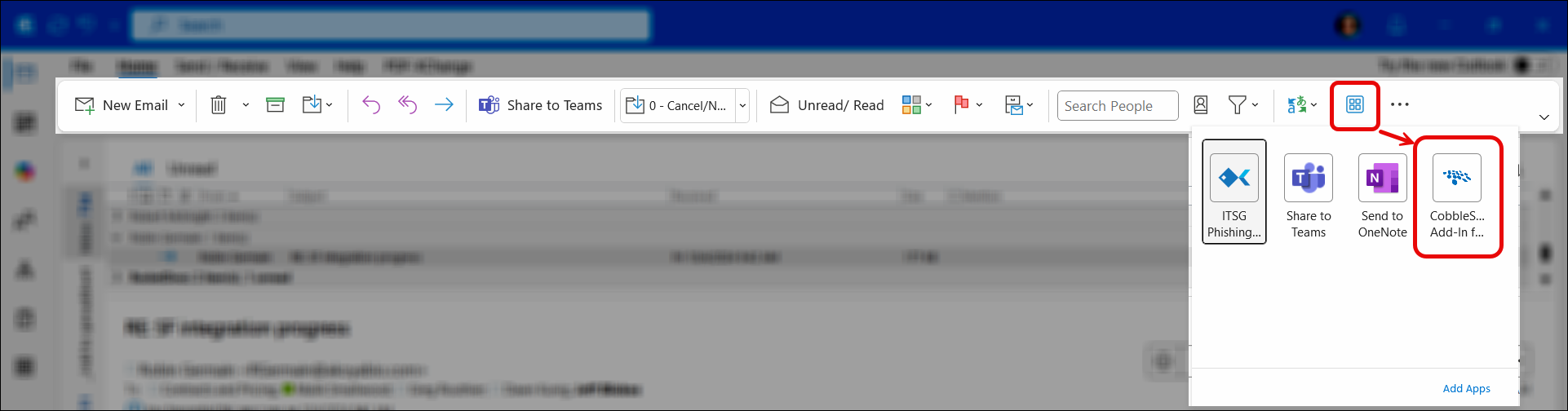
When installed, the Add-In will appear in the Word Ribbon. Depending on your ribbon setup and screen size, it may look slightly different. Here are the most common:
Classic Ribbon:

Simplified Ribbon:

Smaller monitor/laptop screen:
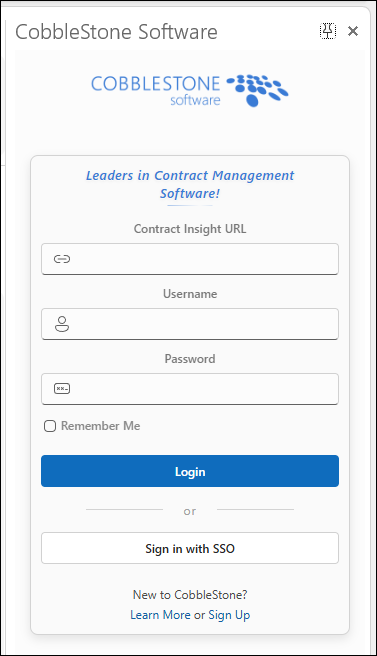
The Add-In initially opens on the prompt to log into the Contract Insight instance:
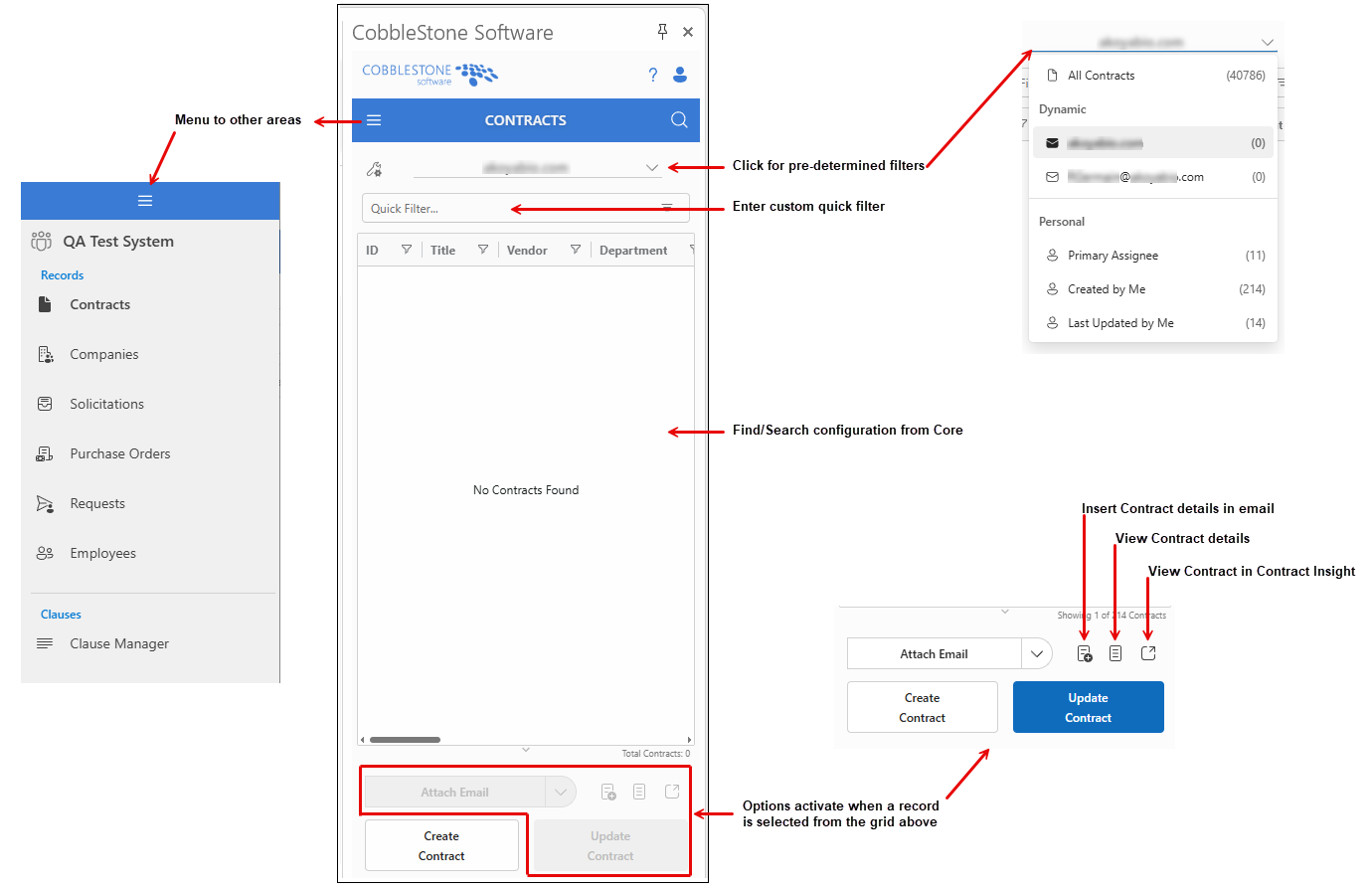
After logging in, users will be taken to Contracts initially and can navigate to the other areas by clicking on the hamburger menu in the top left corner. Here is a quick tour of the add-in’s navigation (screenshot includes modules requiring additional licenses):
COBBLESTONE ADD-IN FOR MICROSOFT APPLICATIONS
RESOLUTIONS
RESOLUTION: CobbleStone Add-in for Word: Timeouts
Reference #: 250624.1231.6518
Users were having timeouts when trying to Upload a document from Core to Online Word and make edits. Users were having timeouts from clicking the Record Details button. Users were also not able to upload files from the Add-In to the Core system. These concerns have been resolved and users should be able to use these pieces again.
RESOLUTION: CobbleStone Add-in for Outlook: Unable to Log in via SSO
Reference #: 250624.1237.10384
When using SSO within the CobbleStone Add-in for Outlook, users were getting a pop-up message and it was not allowing them to utilize SSO. This has been resolved and when using SSO with Outlook Classic, Modern, and Web it should all function the same.