Optional Add-On Module used to extend the functionality and collaboration scope of Contract Insight by providing a dedicated gateway portal for your vendors, suppliers, providers, clients, customers, respondents, etc. to view and interact with the contracts, solicitations, etc. you have with them.
VENDOR/CLIENT COLLABORATION GATEWAY
ENHANCEMENTS
ENHANCEMENT: Configure Subtables by Request Type in Vendor/Client Gateway
Reference #: 251222.1203.23684
We’ve added more flexibility to how subtables appear on the Vendor/Client Gateway, giving administrators greater control over the user experience.
What’s New?
- Manage Subtable Visibility by Request Type:
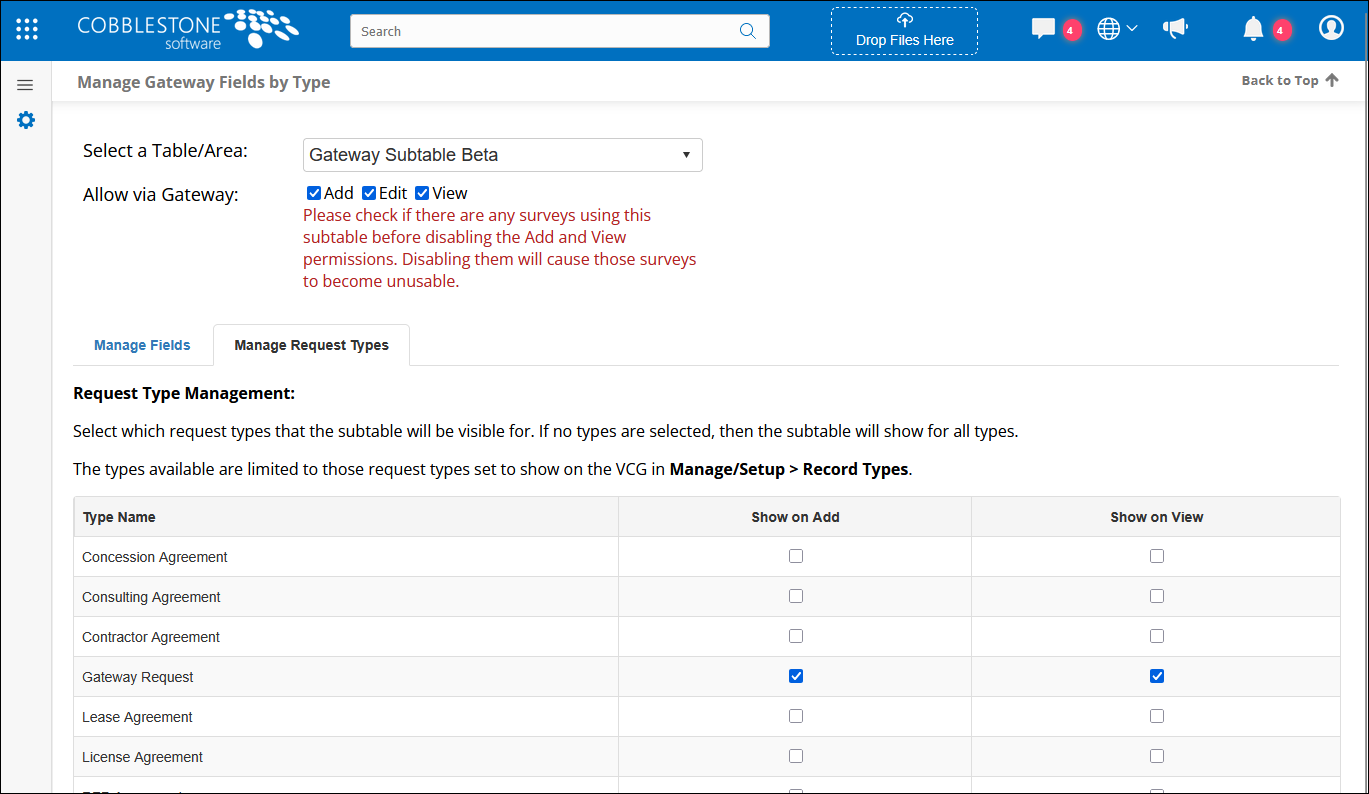
- In the Core system, navigate to Manage Gateway Fields by Type.
- Select a Subtable from the dropdown
- A new tab, Manage Request Types, lets you choose which Request types the selected subtable will show on.
- Configuration Options:
- Use checkboxes for Show on Add and Show on View to control visibility on the Gateway’s Add and View pages.
- If no types are selected, the subtable will appear for all request types.
- If one or more types are selected, the subtable will only appear for those types.
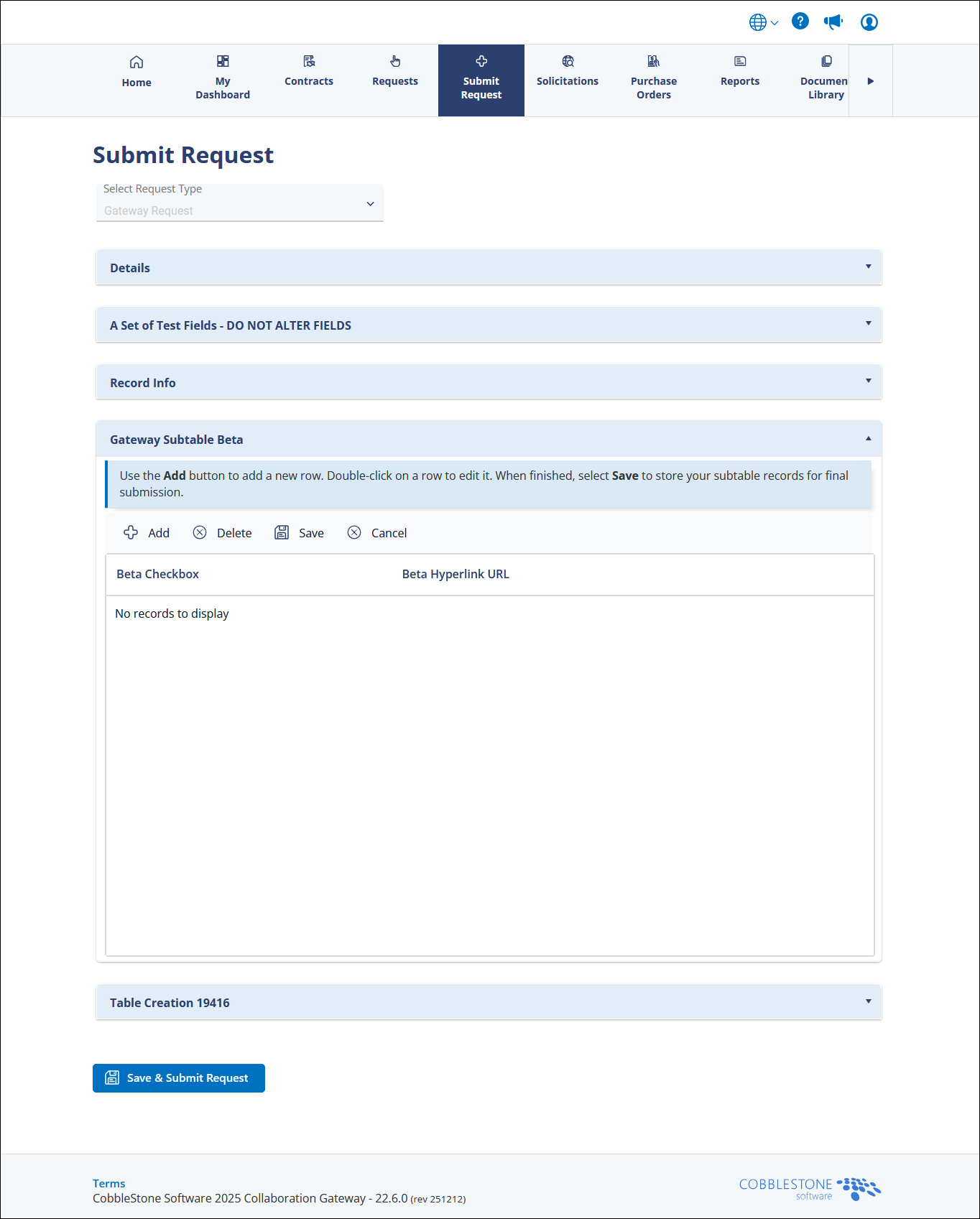
- Dynamic Display in VCG:
- When vendors submit or view requests, subtables will now display based on your configuration settings.
Why This Matters:
This enhancement allows organizations to tailor the Vendor/Client Gateway experience, ensuring users only see relevant subtables for each request type—streamlining workflows and reducing clutter.
VENDOR/CLIENT COLLABORATION GATEWAY
RESOLUTIONS
RESOLUTION: Confirmation Visibility After Submitting Requests on Vendor/Client Gateway
Reference #: 251222.1203.23730
We resolved an issue where, after submitting a public request on the Vendor/Client Gateway (VCG), the page did not automatically scroll back to the top to display the confirmation message. This caused confusion and sometimes led to duplicate submissions because users could not easily see that their request was successfully entered.
The submission process now automatically scrolls back to the top of the page and displays a clear confirmation message, ensuring users can immediately verify that their request was submitted successfully.