The CobbleStone Add-Ins for Microsoft Outlook and Word are free tools designed to enhance workflow and integration between Contract Insight and Microsoft applications—without requiring additional software. These add-ins allow users to attach emails, create and update records directly from Outlook, and streamline document editing within Word. Both add-ins are available for use in application-level versions (Desktop Apps) and browser-level versions (Online).
COBBLESTONE ADD-IN FOR MICROSOFT APPLICATIONS
NEW FEATURES
NEW FEATURE: CobbleStone Add-in for Word: VISDOM Assist Chatbot Integration in CobbleStone Add-In for Word
Reference #: 250804.1237.5805
The VISDOM Chatbot has been integrated into the CobbleStone Add-In for Word, bringing intelligent document analysis and assistance directly into your workflow.
Assistant Tab
The new Assistant tab provides access to the VISDOM Chatbot, which leverages a large language model (LLM) to analyze your document and respond to queries. You can ask questions about the software or request legal insights based on your document’s content.
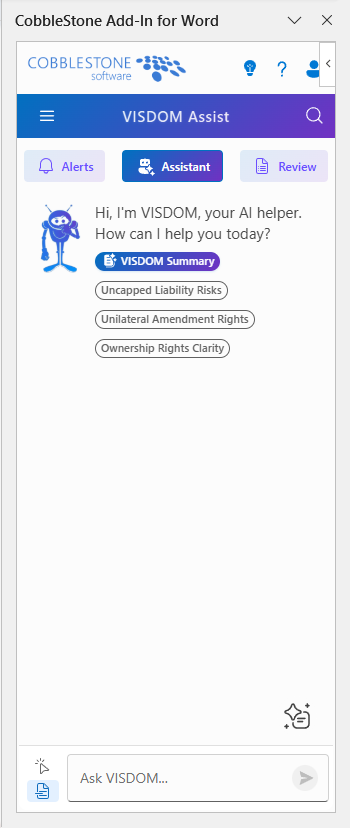
A set of predefined prompts is available to help guide your interactions and streamline common tasks.
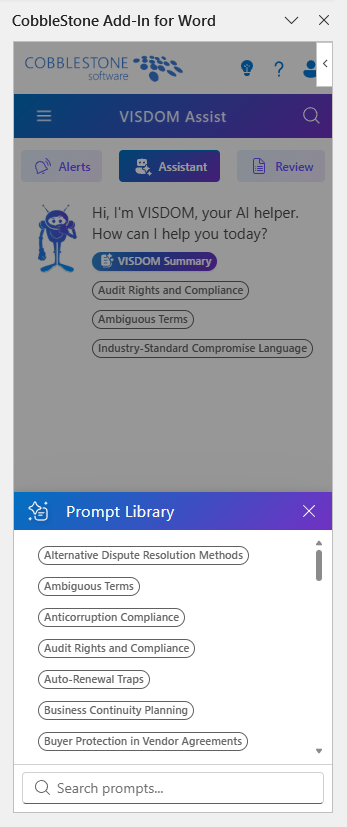
Users can also enable the select button, then highlight text within their document and ask the chatbot to:
- Translate
- Summarize
- Rewrite
These features mirror existing functionality in Core, now available directly within Word.
Alerts Tab
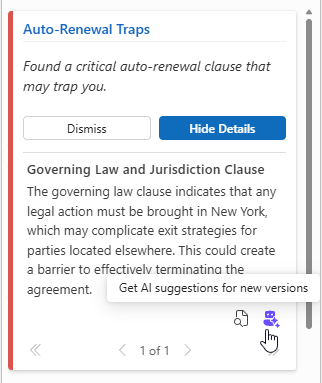
Enable Critical, Warning, and Info alerts to continuously scan your document.
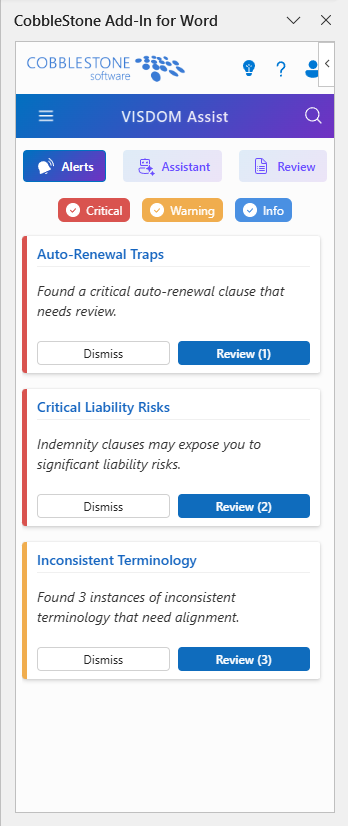
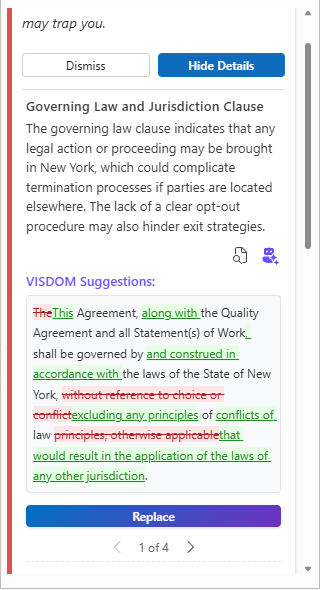
Findings are queued in the Alerts tab, where you can:
- Click View In Document icon to locate the issue in your document
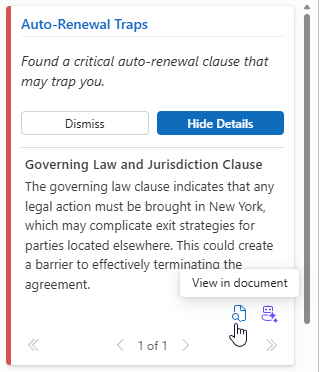
- Use the chatbot for additional suggestions
Review Tab
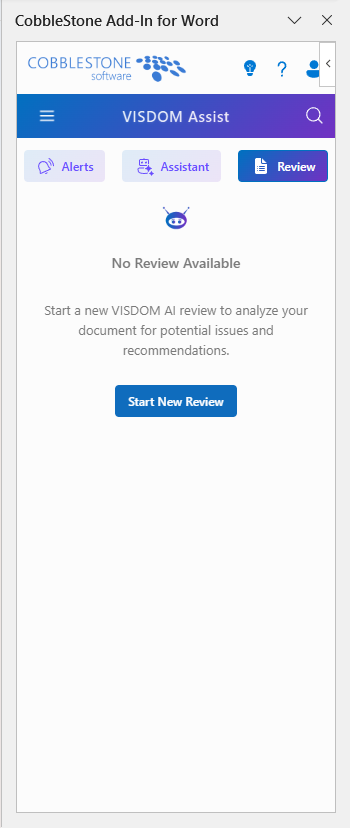
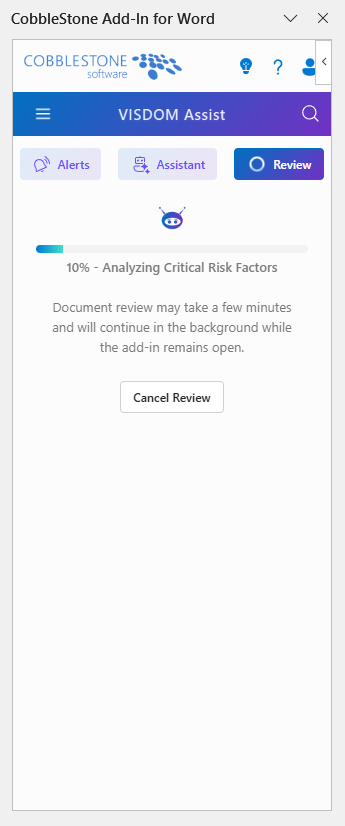
Initiate a comprehensive document review for deeper analysis. This process may take several minutes and provides detailed insights to enhance document quality.
Review results are available in two formats:
- Paragraph View: Displays findings by paragraph, with options to view, revise, or mark as reviewed.
- Category View: Organizes findings by type (e.g., Contract Structure & Completeness) for a thematic overview of document issues.
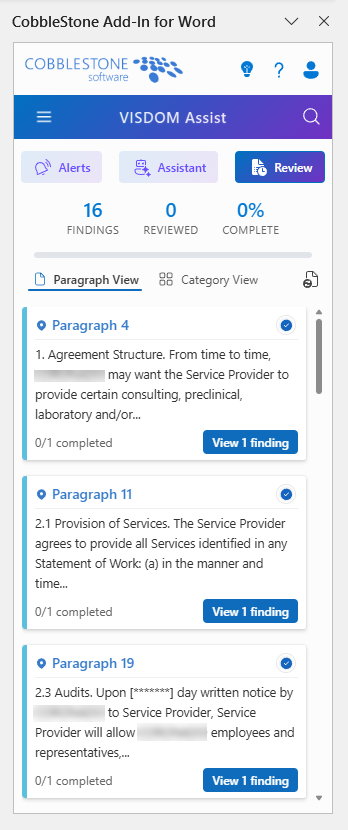
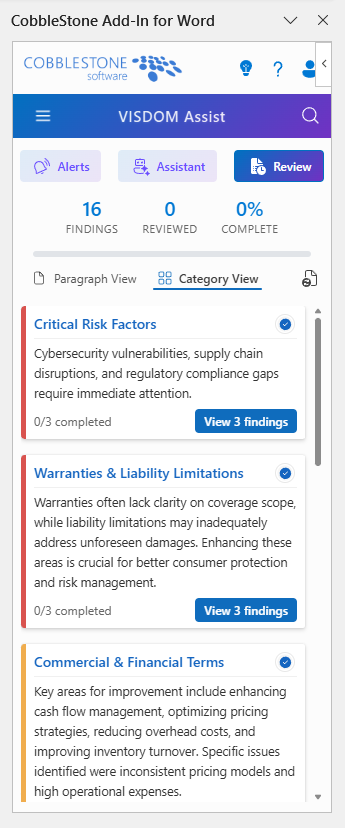
Like the Alerts tab, users can click the View in document icon to find the text within the document or click the Chatbot icon for additional suggestions.
NEW FEATURE: CobbleStone Add-in for Word: Send Document for IntelliApprove/IntelliSign
Reference #: 250804.1231.386
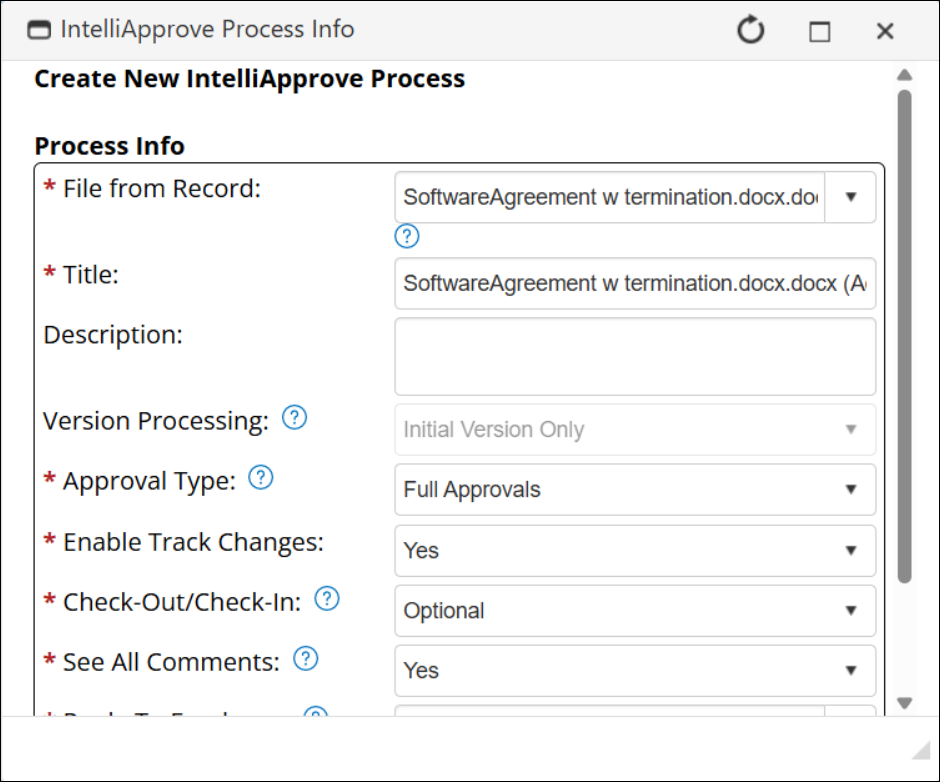
If Document Authoring is licensed, users with permission can now start an IntelliApprove or IntelliSign process for a linked record directly from the CobbleStone Add-In for Word.
When viewing the linked record through the Add-In, new IntelliSign and IntelliApprove buttons are available at the bottom of the record.
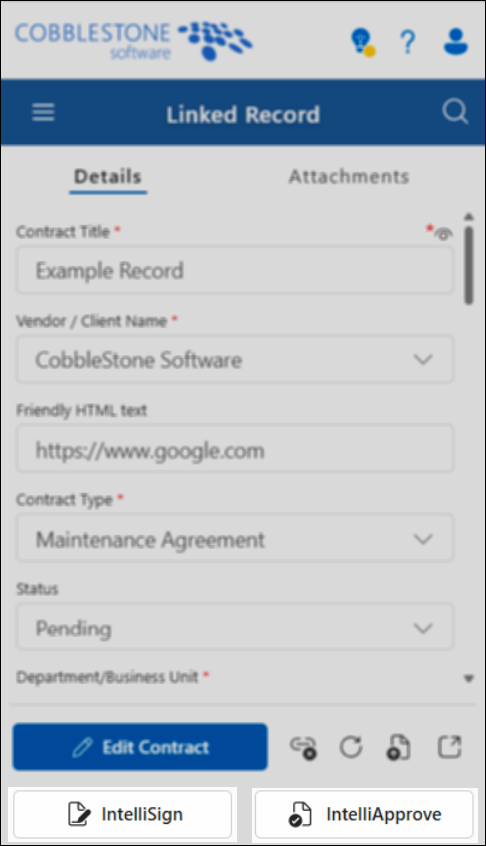
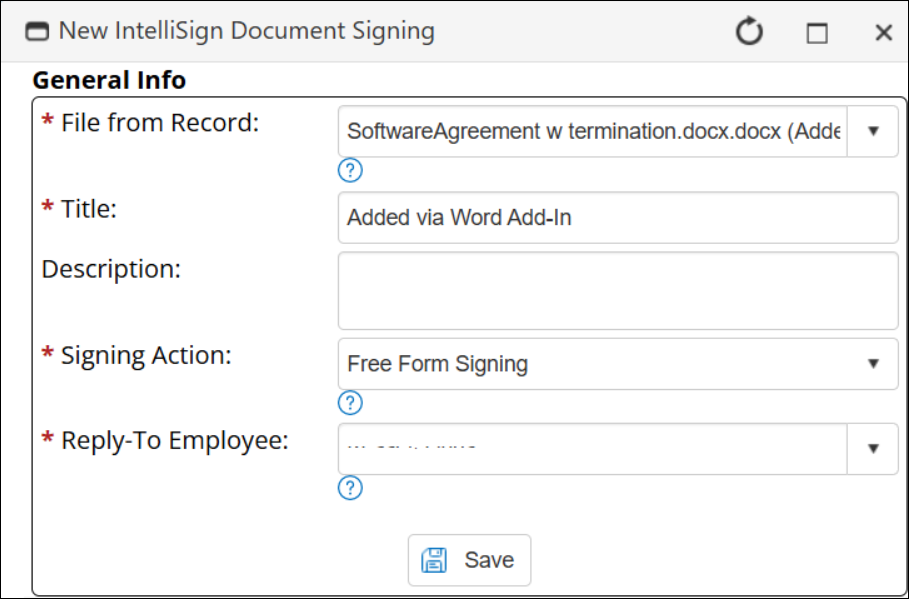
Clicking these options directs the user to Contract Insight and displays the respective window for starting the Signature or Approval process with the file.
How will this affect users?
Users with permission will be able to start an IntelliApprove or IntelliSign process directly from the Add-In for Word.
COBBLESTONE ADD-IN FOR MICROSOFT APPLICATIONS
ENHANCEMENTS
ENHANCEMENT: CobbleStone Add-in for Word: Enable Conditional Fields
Reference #: 250804.1237.9161
Conditional fields are now showing/hiding on the Create Record screens in the CobbleStone Add-In for Microsoft Word. This mirrors how the fields are configured in the Core system.
How will this affect users?
If conditional fields are configured, end users will only see the field when the conditions are met.