Managing Emails on the Gateway
Vendor/Client Gateway: Managing Email
Much like the other areas of the Vendor/Client Gateway, Contract Insight offers configuration for email generated regarding the Gateway.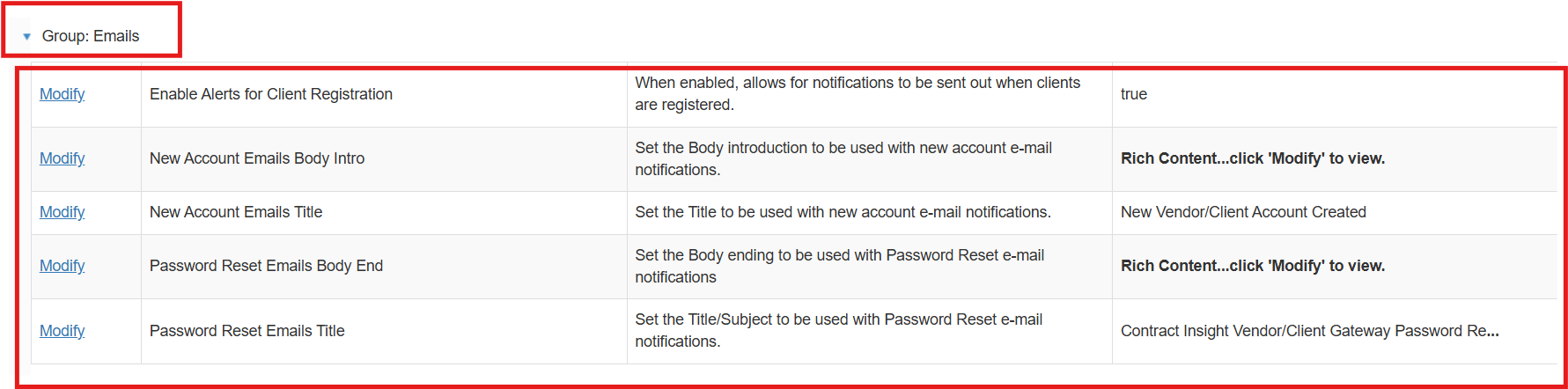
Enable Alerts for Client Registration: This setting allows Application Administrators to decide whether alerts containing the clients credentials will be sent out when they sign up through the Gateway Self-Registration process.
New Account Emails Body Intro: This setting allows Application Administrators to set the body introduction to be used with new account e-mail notifications sent to the new Vendor/Client.
New Account Emails Title: This setting allows Application Administrators to set the title of the new account email notification sent to the new Vendor/Client.
Password Reset Emails Body: This setting allows Application Administrators to set the body ending of the password reset email sent to Vendors/Clients that reset their passwords.
Password Reset Emails Title: This setting allows Application Administrators to set the title of the password reset email sent to Vendors/Clients that reset their passwords.