COBBLESTONE SOFTWARE
Contract Insight — User Guide
05. Product Service Codes
03. Admin User Manual › Vendor/Customer Management › 05. Product Service Codes
Note: Each procedure in this guide begins at the Contract Insight homepage, so any section can be followed on its own. Custom fields are configurable, so the exact field list on a contract category record may vary between environments.
1. Overview
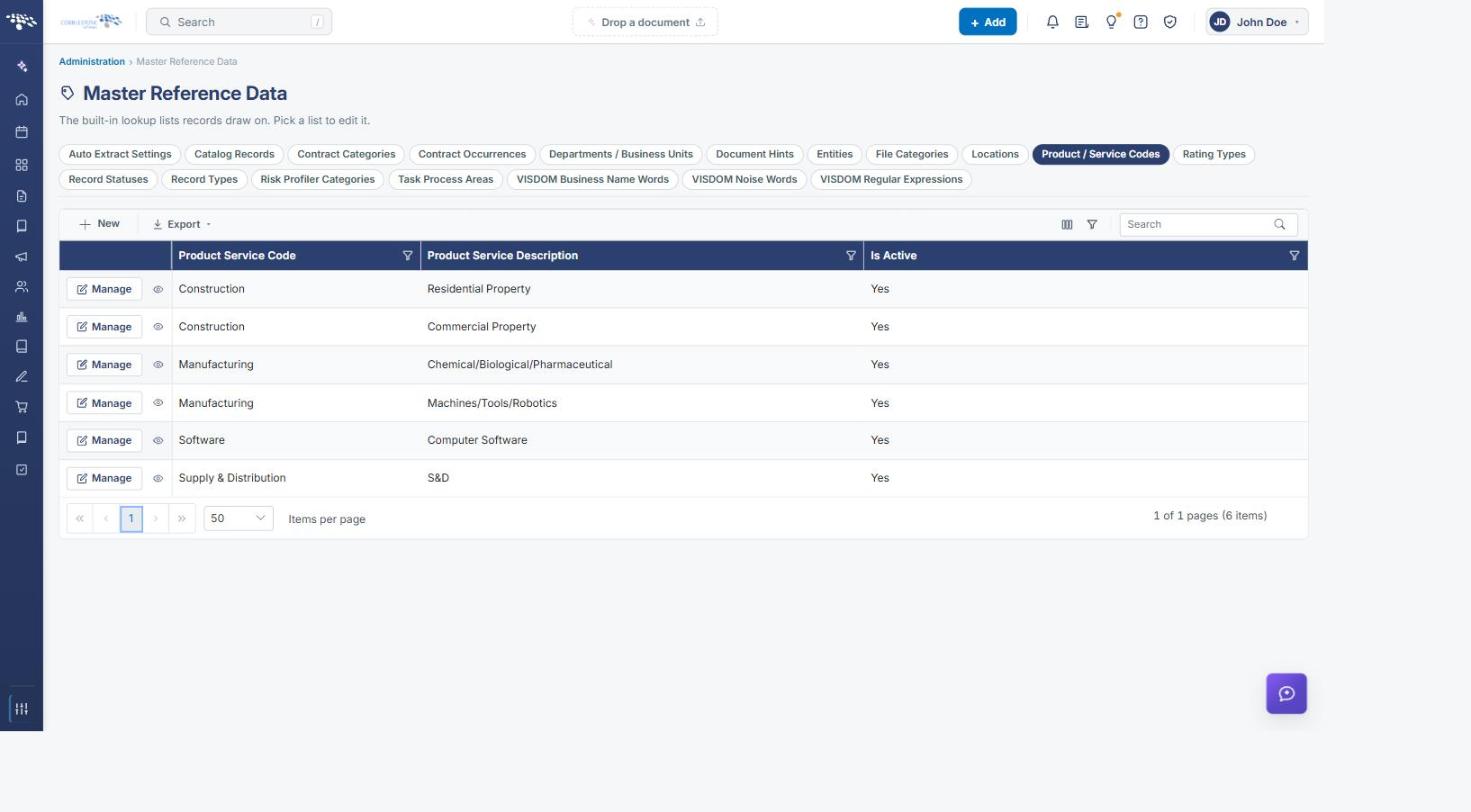
Product/service codes are maintained centrally under Administration → Master Reference Data → Product / Service Codes, a lookup list with Product Service Code and Product Service Description columns, and tied to individual companies through a Vendor Product Service Codes subtable on each company record.
2. Key Elements
- Administration → Master Reference Data → Product / Service Codes
- New / Manage / Export controls, same as other Master Reference Data lists
- A company's own Vendor Product Service Codes subtable ties specific codes to that vendor
3. Viewing and Adding Product/Service Codes
Administration → Master Reference Data → Product / Service Codes lists every code with its Product Service Code and Product Service Description, each row offering Manage to edit it. New opens a short form with just those two fields — fill them in and Save to add a code to the list.
4. Linking a Code to a Vendor
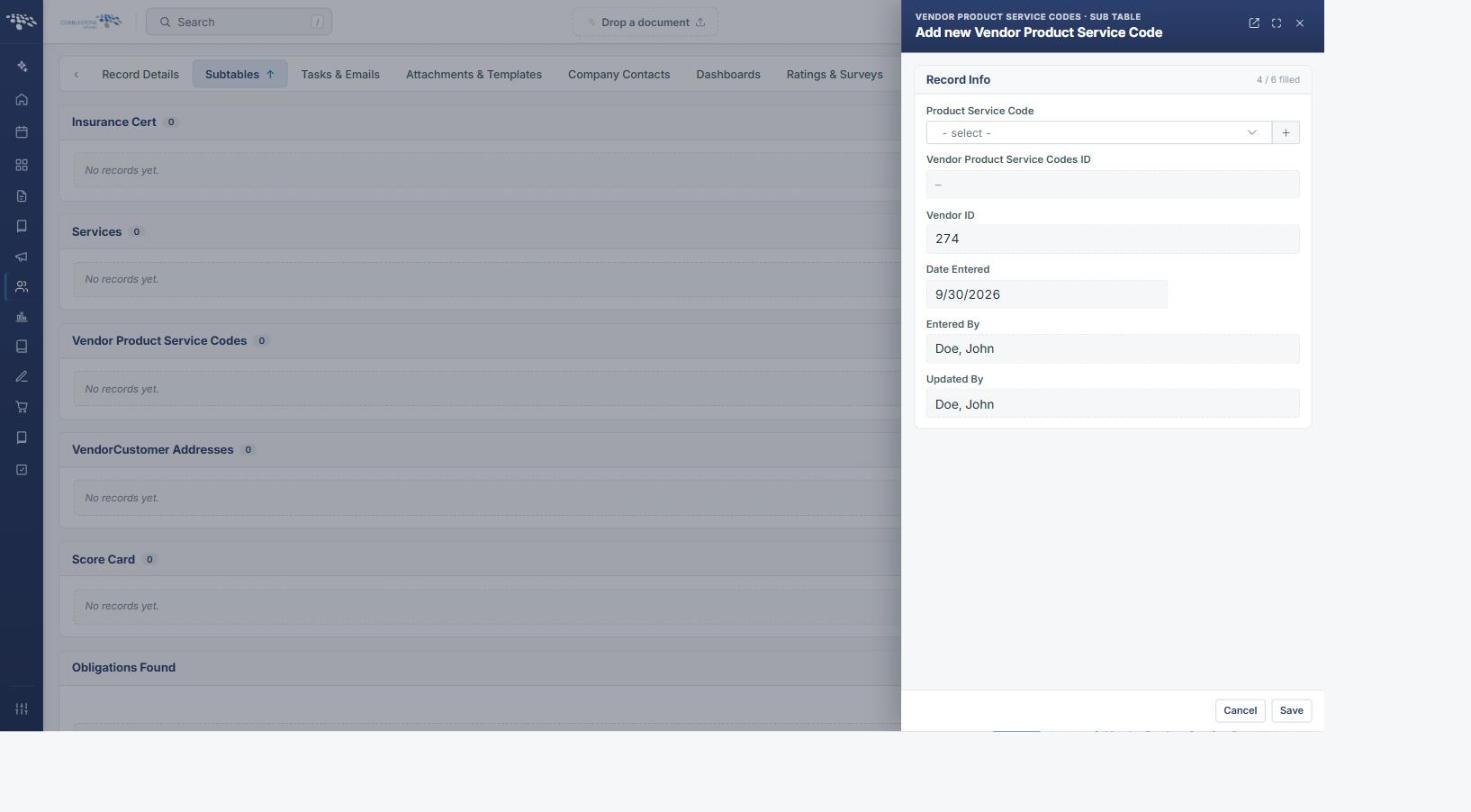
A company's own Vendor Product Service Codes subtable (on its Subtables tab) ties specific codes from the master list to that vendor. Add opens a short form where Product Service Code is chosen from a dropdown of the master list, with the Vendor ID filled in automatically; Save adds that code to the vendor's record.
5. Quick Reference Summary
Action | What it does | Where to find it |
New | Adds a new Product/Service Code to the master list | Administration → Master Reference Data → Product / Service Codes → New |
Manage | Edits an existing Product/Service Code | Master Reference Data → Product / Service Codes → row |
Export | Exports the master Product/Service Codes list | Master Reference Data → Product / Service Codes |
Add (Vendor Product Service Codes) | Links a master code to a company's own record | Company record → Subtables → Vendor Product Service Codes |